Critical Example of a Sitemap for SEO & AI in 2026
Most sitemap advice is too narrow. It treats the sitemap as a compliance file for Google, something you generate once, submit in Search Console, and forget. That mindset was always incomplete, and in 2026 it’s actively limiting. Your sitemap doesn't just help crawlers find URLs. It shapes which pages get discovered first, which sections look authoritative, and which parts of your site are easiest for AI systems to interpret.
That matters because AI search doesn't build a brand narrative from your homepage alone. It pulls from the parts of your site that are easiest to crawl, classify, and connect. If your strongest pages are buried, fragmented across templates, or missing from sitemap logic, large language models can form a weak or distorted picture of your company. A good sitemap fixes that. A strategic sitemap does more. It acts like structured guidance for search engines and for AI systems that rely on web content to generate answers.
The strongest example of a sitemap today isn't the prettiest file. It's the one that reflects business priorities, content freshness, and site architecture without wasting crawl attention on junk URLs. That's why smart teams now treat sitemap design as part technical SEO, part information architecture, and part AI visibility strategy.
If you want the bigger search context, how search on Amazon works from A9 to AI is a useful parallel. Search systems reward structure more than is often realized.
1. XML Sitemap Standard Protocol
If you only build one sitemap, build this one well.
The XML sitemap is still the backbone. It’s machine-readable, easy to validate, and flexible enough to support most sites from a simple brochure site to an enterprise content operation. It’s also the sitemap type that is often misunderstood. They assume “generated automatically” means “strategically correct.” It usually doesn't.
Weather.com is the clearest large-scale example. Its sitemap index at Weather.com’s sitemap structure example branches into sub-sitemaps for Videos, News, Articles, and forecast types such as ten-day, weekend, and today. That setup supports a site exceeding 50 million pages and follows the protocol limit of 50,000 URLs and 50MB uncompressed per sitemap file, using nested indexing and standard tags like <loc> and <lastmod>.
What a strong XML sitemap actually does
A strong XML sitemap tells crawlers three things fast: what exists, what matters, and what changed.
For a marketing team, that means your XML sitemap should include the pages that define the brand, not just the pages your CMS happens to output. Product pages, feature pages, solution pages, case studies, press coverage, about pages, and high-value documentation belong there if they’re canonical and indexable.
Practical rule: If a page helps a prospect, journalist, analyst, or AI system understand who you are, it should be intentionally considered for the sitemap.
A few implementation rules matter more than many realize:
- Split by page type: Separate posts, product pages, resources, and corporate pages so problems are easier to diagnose.
- Keep
lastmodhonest: Use it when content changed in a meaningful way. Don’t fake freshness. - Exclude noise: Redirects, parameter URLs, duplicate paths, thin tag pages, and noindex URLs don't belong.
- Use a sitemap index early: Don’t wait for the site to become unwieldy.
For teams troubleshooting visibility, why a website doesn’t show up on Google often starts with this exact layer. A valid XML sitemap won’t solve every indexing issue, but a messy one can create plenty.
What works and what doesn't
What works is explicit curation. What doesn't is dumping every reachable URL into one file and calling it done.
I’ve seen XML sitemaps do their best work when they mirror the actual content model of the business. If the company is organized around products, industries, resources, and trust pages, the sitemap should reflect that structure. That same clarity also helps AI systems find the pages that most accurately describe the brand.
2. HTML Sitemap User Facing Navigation
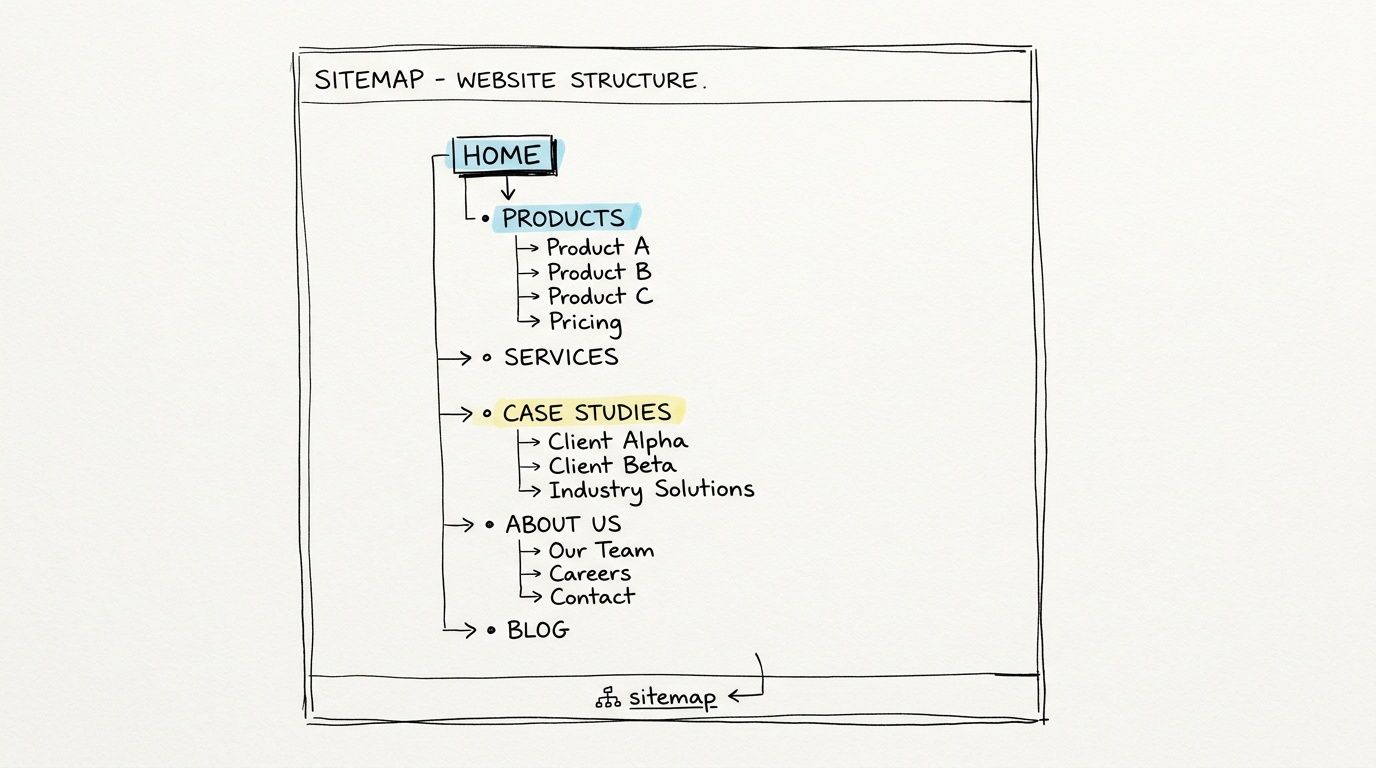
The HTML sitemap is underrated because teams think it’s old-fashioned. It isn’t. It’s a practical navigation layer, and on large sites it can improve discoverability for both people and machines.
LinkedIn’s People Directory is a strong example. According to Search Engine Journal’s sitemap examples, LinkedIn uses this HTML sitemap-style structure to link to over 1 million user pages while organizing sections like profiles, jobs, and companies. The same source notes LinkedIn had 1+ billion members as of 2024, which shows why direct, browsable structure still matters at massive scale.
Why marketers should care
An HTML sitemap gives you one public page where the company can declare its own hierarchy in plain language. That’s useful when your main navigation is constrained by design, politics, or conversion goals.
A good HTML sitemap groups pages into business-relevant clusters such as Products, Resources, Industries, Case Studies, Company, and Support. For AI visibility, this is useful because it reinforces topical relationships with clear anchor text and creates another path to important pages that might otherwise sit several clicks deep.
Use it to surface the pages you most want associated with your brand story. That could include solution pages, comparison pages, methodology pages, customer stories, and editorial resources.
- Lead with business categories: Don’t mirror a messy CMS taxonomy.
- Use descriptive anchors: “Enterprise SEO platform” says more than “Platform.”
- Put it in the footer: If it’s useful, make it globally discoverable.
- Review it quarterly: Product launches and positioning shifts should appear here.
For teams planning those category decisions, this content strategy example for structured site planning is the kind of exercise that should happen before the HTML sitemap gets published.
A weak HTML sitemap becomes a dumping ground. A good one becomes a public statement of site priorities.
3. Video Sitemap Multimedia Content Discovery
Most brands invest in video, then make discovery harder than it needs to be.
A video sitemap helps crawlers understand that a page contains a video worth indexing. That matters when the video itself carries product messaging, executive positioning, customer proof, or educational content that AI systems may later summarize. If the page is crawlable but the video relationship is vague, you lose context.
Start with the obvious use cases. Product demos, webinars, tutorials, customer walkthroughs, launch videos, and thought leadership clips are usually the best candidates. Don’t waste effort on every decorative background video or minor animation.
This embedded overview is a good reminder that sitemap work sits inside a larger technical SEO workflow.
Where teams get this wrong
They publish videos on landing pages but don’t maintain consistent metadata. Titles are vague. Descriptions are thin. Thumbnails are generic. Transcripts exist but aren't connected cleanly.
That weakens discovery and interpretation. A video sitemap gives you a chance to make the subject explicit. If the video explains a product workflow, say so clearly. If it compares your approach to common alternatives, encode that context in the surrounding page, transcript, and title strategy.
Here’s what usually works best:
- Use clear titles: Name the product, use case, or problem solved.
- Tie the video to a strong landing page: Thin pages rarely help.
- Keep thumbnails on-brand: Recognition matters when systems and users scan results.
- Publish transcripts: They improve interpretability for both search and AI parsing.
What doesn't work is assuming a YouTube upload handles everything for you. It may handle hosting and distribution, but it doesn't replace on-site clarity. If you want your own domain to become the source of truth, your sitemap and page structure have to support that.
4. Image Sitemap Visual Content Indexing
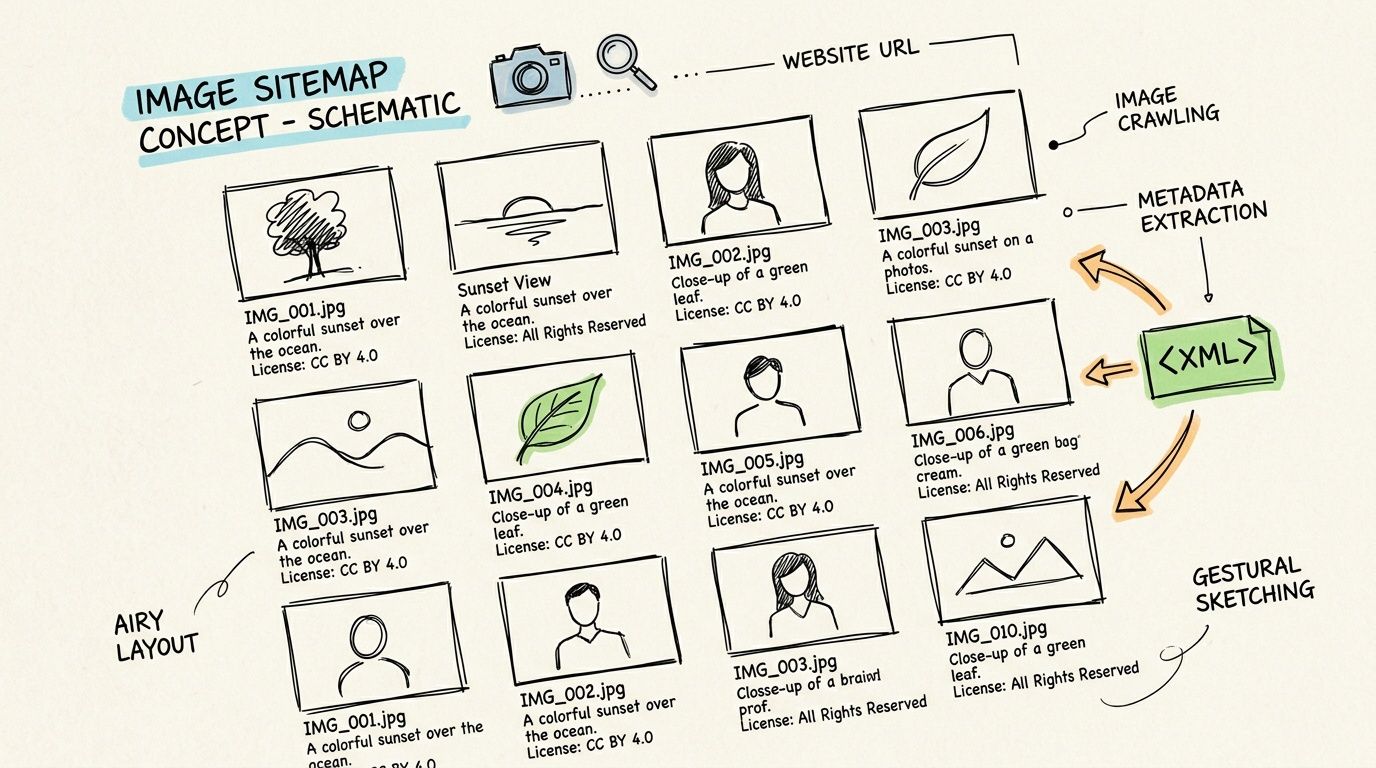
Image sitemaps matter more now because AI systems increasingly interpret brands through visual assets, not just copy. Product images, diagrams, team photography, charts, UI screenshots, and logos all contribute to how your company is represented.
The gap is that image SEO is often still treated like alt text housekeeping. That’s too small a view. According to ALM’s guide to sitemap examples and AI search, image sitemaps are becoming more relevant in AI-powered search contexts, especially where visual discovery and citation matter. The same piece frames AI-specific sitemap adaptation as an underserved area, particularly for sites that want stronger visibility in systems like AI Overviews and chat-based search.
What to include
Include images that explain, sell, or validate. Skip decorative assets that add nothing to brand understanding.
For ecommerce, that usually means product images, category hero images, and in-use photography. For SaaS, it often means interface screenshots, workflow diagrams, integration visuals, and report screenshots. For corporate sites, leadership photos, facility images, event imagery, and press-ready brand assets can all help.
Watch for this: If your strongest branded visuals sit in JavaScript galleries, CDN folders with weak naming, or pages blocked from indexing, your image visibility will lag behind your content quality.
Good practice is simple:
- Map important visuals to canonical pages: Context matters as much as the file.
- Write descriptive filenames and captions: They help systems identify subject matter.
- Include refreshed assets when branding changes: Old visual signals linger.
- Align image choices with reputation goals: Show products, people, proof, and process.
What doesn't work is submitting an image sitemap while the actual page context stays vague. Images rarely win on metadata alone. They need a clear parent page and strong surrounding content.
5. Multilingual Sitemap Global Brand Positioning
Multilingual sitemaps are where technical SEO and brand governance collide.
On paper, the job looks straightforward. Publish regional or language variants, connect them correctly, and help search systems serve the right version. In practice, teams often create contradiction. The CMS says one thing, the hreflang mapping says another, and the sitemap points to a third variant. AI systems don't love ambiguity any more than Google does.
Samsung is a useful real-world pattern. As noted in the Weather.com source earlier, Samsung uses region-specific sitemap structures such as /uk/sitemap.xml and /ca/sitemap.xml through sitemap index files to manage international presence across major markets. That’s the right instinct for brands that need market-specific discovery rather than one oversized global file.
The trade-off nobody mentions enough
More multilingual coverage increases discoverability, but it also increases maintenance burden.
If your localized pages aren’t properly localized, don’t create a false sense of regional precision. A thin variant with recycled copy can weaken trust. It’s often better to maintain fewer, stronger regional clusters than to publish a large set of inconsistent alternates.
For multilingual sitemap governance:
- Separate by region or language cluster: Keep ownership clear.
- Match canonical, hreflang, and sitemap logic: Mixed signals create crawl waste.
- Localize core brand pages first: About, product, pricing, case studies, and support usually matter most.
- Review market fit, not just translation quality: Positioning often needs regional nuance.
Teams working through that alignment should think about branding and organic search together, not as separate workstreams. This guide to branding and SEO alignment is the right strategic lens.
AI-specific implication
Different language models and regional search experiences can surface different summaries of the same company. A multilingual sitemap won't control that outright, but it can reduce confusion by making regional authority pages easier to find and classify.
6. E-Commerce Sitemap Product Centric Discovery
Ecommerce sitemaps fail in one of two ways. They’re too thin, or they’re bloated with junk.
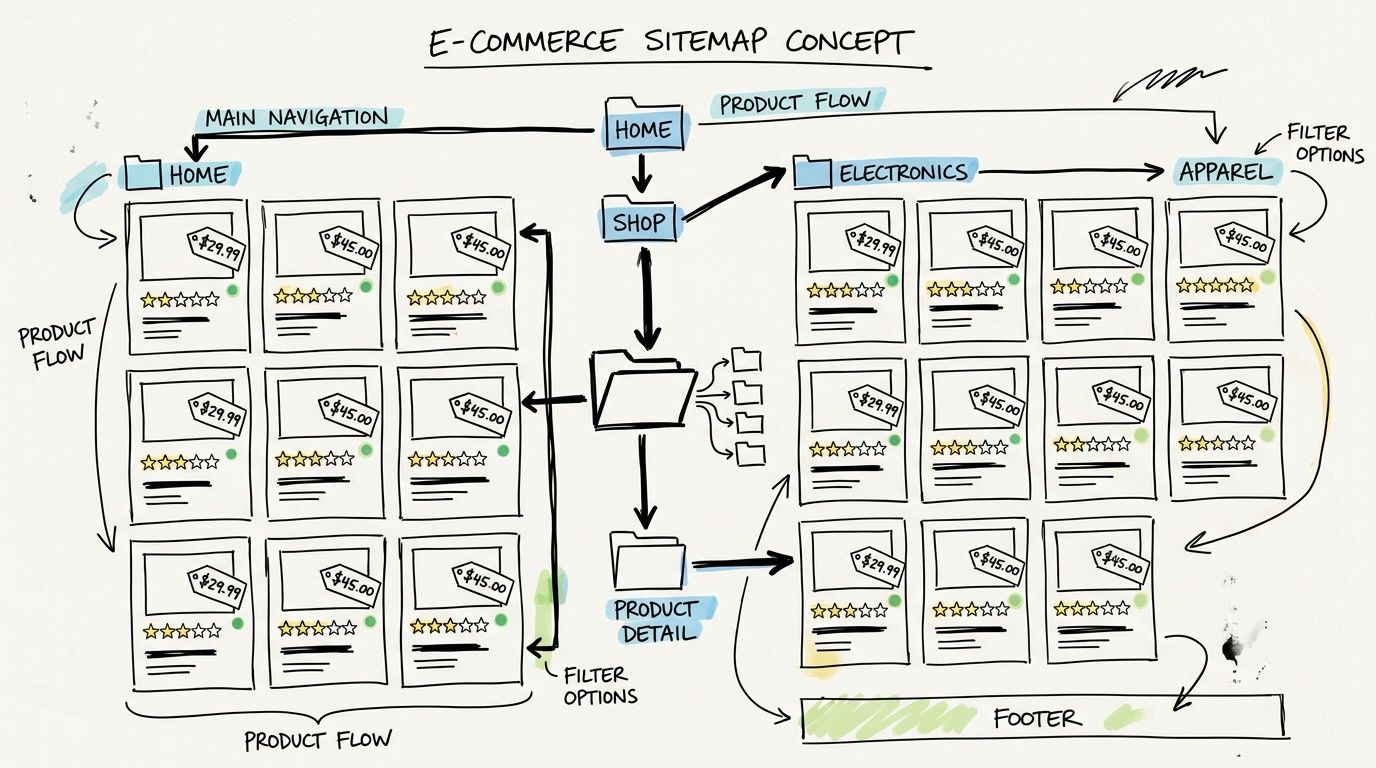
The Good Guys is a useful HTML-side example from the earlier Search Engine Journal source because it uses browsable categorization for a large catalog. For XML strategy, the broader lesson is the same. Product and category discovery has to be deliberate. If your sitemap includes faceted combinations, duplicate filtered URLs, expired product pages, and weak internal search pages, crawlers spend time in the wrong places.
What belongs in an ecommerce sitemap
Include canonical product URLs, core category pages, key brand pages, help content that supports buying decisions, and editorial commerce content if it earns search demand or links.
Exclude low-value parameter pages, sort variations, duplicate collection paths, and URLs that exist only because the platform generated them. That’s where a lot of Shopify, Magento, and custom builds get messy. The platform can generate a sitemap. It can’t decide what deserves crawl attention.
A practical structure often looks like this:
- Product sitemap: Live canonical products only.
- Category sitemap: Primary collection and category URLs.
- Content sitemap: Buying guides, comparison pages, brand stories, support resources.
- Corporate sitemap: Shipping, returns, about, press, and trust content.
What works is tying sitemap generation to inventory and merchandising logic. If a product is permanently gone, it shouldn’t sit in the sitemap forever. If a category is strategic, it should be easy to crawl and easy to connect to supporting content.
The sitemap should reflect what you’re willing to have indexed, recommended, and summarized. In ecommerce, that means controlling duplicates aggressively.
For AI-driven product comparisons, this matters even more. If your clean product pages are hard to find but your noisy parameter URLs are everywhere, you make it harder for AI systems to extract the right description of your catalog.
7. Single Page Application SPA Sitemap
SPAs create a familiar problem. The site looks polished to users, but discovery can be fragile if routing, rendering, and metadata aren’t handled carefully.
Teams often confuse “Google can render JavaScript” with “our implementation is fine.” Sometimes it is. Often the important pages still load metadata too late, canonical tags inconsistently, or content in a way that makes crawl paths harder than they should be.
The best example of a sitemap in a SPA environment usually isn’t about fancy XML. It’s about whether the sitemap reflects the true route inventory of the app and whether those routes return crawlable, meaningful content without requiring ideal rendering conditions.
What to prioritize first
For SPAs, not every route deserves equal treatment. Pricing, product overviews, feature pages, integration pages, case studies, and help documentation should be the first pages you make rock-solid from a crawl standpoint.
That usually means some combination of SSR, static generation, or prerendering for public-facing pages, even if the application shell itself remains client-rendered. The sitemap should point only to URLs that resolve cleanly and expose critical metadata reliably.
A few rules save a lot of pain:
- Generate the sitemap from the route source of truth: Don’t maintain it by hand.
- Prerender revenue pages: Especially pricing, solutions, and comparison pages.
- Check canonicals carefully: SPAs often multiply route variants.
- Test rendered output directly: View source and rendered HTML can differ.
What doesn't work is shipping a perfect-looking React or Vue site where the sitemap lists URLs that only become understandable after layered client-side execution. Users may be fine. Crawlers may not be.
AI search amplifies that problem because systems often rely on what’s easiest to fetch, parse, and reconcile. If your app hides the clearest brand explanation behind rendering complexity, your weaker pages may become the ones that get summarized.
8. News Sitemap Real Time Brand Monitoring
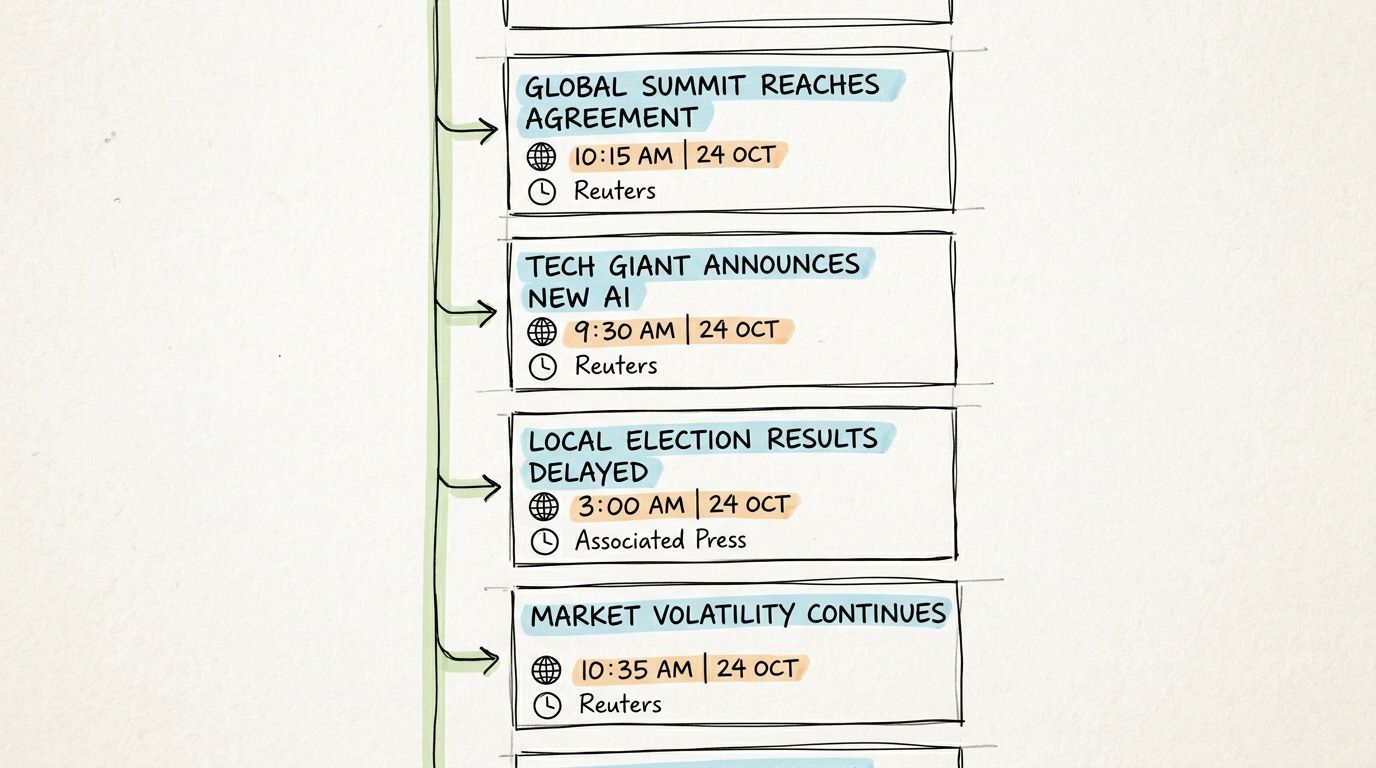
News sitemaps are one of the fastest ways to get fresh brand narratives into discoverable circulation. That matters for publishers, but it also matters for companies with active PR, product launches, leadership commentary, research releases, and partnerships.
Many brands publish news like it’s only for the newsroom tab. It isn’t. It becomes part of the public evidence layer that search engines and AI systems may use when describing the company. If your news architecture is sloppy, old narratives linger and new ones can take longer to surface.
Corporate sites such as Samsung are relevant here because the Weather.com source also highlights Samsung’s regional sitemap indexing pattern for international visibility. The same operational discipline applies to news. If announcements target multiple regions or languages, the sitemap structure should support that distribution cleanly.
Where this becomes strategic
A news sitemap helps new pages get found quickly. But its primary value is narrative control. Product launch pages, executive statements, original research, awards, partnerships, and market commentary all influence how external systems interpret momentum and credibility.
That means your PR team and SEO team should stop operating in parallel here. They need one shared publishing process.
- Publish on your own domain first: Don’t rely only on media pickup.
- Use clear headline language: Say what happened and why it matters.
- Keep newsroom taxonomy clean: News pages should be classifiable.
- Connect news to evergreen pages: Launches should link back to product and company pages.
For marketing teams tracking whether AI systems pick up those developments, AI brand monitoring across major models is the right operational layer. A news sitemap helps distribution. Monitoring shows whether the narrative appears.
Comparison of 8 Sitemap Types
| Sitemap Type | Implementation Complexity 🔄 | Resource Requirements ⚡ | Expected Outcomes ⭐📊 | Ideal Use Cases 💡 | Key Advantages ⭐ | Key Limitations |
|---|---|---|---|---|---|---|
| XML Sitemap (Standard Protocol) | Moderate, technical XML creation & validation | Low–Moderate, developer time; small server footprint | Improved discovery/indexing and prioritized AI/SEO visibility | Sites needing reliable AI/search indexing for key pages | ⭐ Standardized, widely supported metadata (lastmod, priority) | Not human-readable; no indexing guarantee; syntax-sensitive |
| HTML Sitemap (User-Facing Navigation) | Low, simple page build and manual updates | Low, front-end page and maintenance effort | Better UX, internal linking, modest SEO/AI benefit | Small–medium sites, accessibility-focused or content hubs | ⭐ User-friendly navigation; distributes link equity | Manual upkeep; less efficient for very large sites |
| Video Sitemap (Multimedia Content Discovery) | Moderate–High, video metadata integration | High, video production, hosting, metadata upkeep | Greater video visibility and richer AI multimedia representation | Brands with extensive video libraries or marketing content | ⭐ Improves video indexing and engagement signals | Requires production resources; not all AI platforms fully process video |
| Image Sitemap (Visual Content Indexing) | Moderate, metadata for many assets | Moderate–High, organized image library and tagging | Enhanced visual identity discovery in multimodal AI results | E‑commerce, portfolios, visual brands | ⭐ Ensures logos/products appear; boosts visual recognition | Metadata overhead; privacy/licensing concerns |
| Multilingual Sitemap (Global Brand Positioning) | High, hreflang and variant mapping | High, translations, localization, ongoing maintenance | Consistent regional visibility and language-specific AI positioning | Global enterprises targeting multiple markets | ⭐ Prevents duplicate content; improves regional targeting | Complex implementation; risk of inconsistent messaging |
| E‑Commerce Sitemap (Product‑Centric Discovery) | High, dynamic generation and variant tracking | High, inventory integration, frequent updates | Accurate product/pricing visibility in AI responses; higher conversions | Large catalogs, marketplaces, retail sites | ⭐ Real-time product data; better shopping results | Complex to maintain; may expose pricing to competitors |
| SPA Sitemap (JavaScript‑Rendered Content) | High, SSR/prerendering & route mapping | Moderate–High, dev coordination and testing | Ensures JS content is discoverable by crawlers and AI | Modern web apps (React/Vue/Angular) with dynamic routing | ⭐ Controls route indexing; improves crawlability of SPAs | Requires SSR/prerender work; testing is more complex |
| News Sitemap (Real‑Time Brand Monitoring) | Moderate, news XML structure with frequent updates | Moderate, editorial cadence and rapid publishing | Rapid inclusion of breaking news in AI results; impacts sentiment | News publishers, PR teams, time‑sensitive announcements | ⭐ Enables real‑time brand narrative influence in AI | Needs constant updates; may amplify negative coverage |
From Blueprint to Billboard Activating Your Sitemap Strategy
The biggest shift is conceptual. A sitemap used to be treated like plumbing. Necessary, unglamorous, mostly invisible. That view is outdated. Your sitemap is now closer to a publishing control layer. It tells search systems what to inspect, how to group your content, and which parts of your site deserve recurring attention.
That doesn’t mean every sitemap type belongs on every site. Most companies should start with a clean XML sitemap and then decide what else the site needs. If the site has deep content architecture, add an HTML sitemap. If video or image assets carry real commercial weight, support them directly. If the business operates across regions, multilingual governance becomes part of the sitemap discussion, not a separate technical afterthought. If the company publishes frequent announcements, a news sitemap can become part of brand communications, not just SEO hygiene.
The practical mistake I see most often is overproduction without prioritization. Teams generate every possible sitemap type but never clean the underlying URL logic. They submit bloated indexes full of duplicates, old assets, parameter pages, and weak templates. That hurts both crawl efficiency and brand clarity. Search engines can work around some mess. AI systems may absorb the wrong pages and build a vague summary from them.
The better approach is selective and business-led. Audit your current sitemap setup against your revenue pages, trust pages, and authority pages. Check whether your strongest content is included, canonical, current, and easy to classify. Review whether your public site structure reinforces the story you want search engines and AI models to tell about your company. If it doesn't, the sitemap is one of the fastest places to start fixing that gap.
There’s also a planning benefit that many teams miss. Visual sitemap thinking, even if it never gets published, can expose structural waste before it reaches production. In a UX case study, a redesign team used sitemap planning to identify 14 unnecessary steps in the pre-redesign user journey, then reduced average session depth from 12 interactions to 7 in prototype testing with 25 participants, as described in this UX sitemap case study. That’s a reminder that sitemap work isn’t just about crawling. It’s often the clearest way to see where the business has made the site harder than it needs to be.
If you need a practical companion on the build side, how to make a sitemap that actually boosts SEO is worth reading after this.
A good example of a sitemap is no longer just technically valid. It’s commercially intentional. It supports indexing, clarifies architecture, reduces waste, and gives AI systems a better chance of understanding the company the way you want to be understood. That’s the true job now.
If your team wants to see whether your sitemap strategy is influencing AI visibility, promptposition gives you the measurement layer most analytics stacks still miss. You can track how ChatGPT, Claude, Gemini, Perplexity, and other models describe your brand, compare that visibility against competitors, inspect the exact wording models use, and identify which pages and sources are shaping those answers so you can tighten the sitemap, content, and PR strategy around what moves the narrative.