Add XML Sitemap to Google: Elevate Your Site SEO

You publish a new page, share it internally, maybe even launch ads to it, and then check Google a day later. Nothing. No impression trail, no indexed URL, no sign that Google has understood the page matters.
That’s usually the moment marketing teams realize sitemap work isn’t busywork. It’s one of the clearest ways to tell Google what exists on the site, what changed recently, and what should be crawled next. If you want to add xml sitemap to google properly, the process is simple. The strategy behind it is where many organizations either gain speed or create avoidable crawl waste.
Why Your XML Sitemap Is Your Website's Most Important Map
An XML sitemap is a machine-readable file that lists the URLs you want search engines to discover and evaluate. At its best, it acts like a clean inventory of index-worthy pages. At its worst, it becomes a junk drawer full of redirects, duplicate URLs, and pages you never wanted in search.
That distinction matters because Google dominates the global search market with over 86% of all internet searches. For most brands, adding an XML sitemap in Google Search Console is the first technical SEO action that directly affects how quickly new pages get noticed.
A good sitemap helps most when a site has one of these traits:
- Large page volume. Ecommerce catalogs, resource centers, and location pages can outgrow simple crawl discovery.
- Weak internal linking. If some pages are buried, the sitemap gives Google another route to find them.
- Frequent publishing. New blog posts, campaign pages, and product launches benefit from cleaner discovery signals.
- Rich media or localization. XML supports extensions for images, videos, news, and localized pages, which is one reason Google treats it as the most versatile sitemap format.
Practical rule: A sitemap should list the pages you want indexed, not every URL your CMS can produce.
That’s where many teams go wrong. They generate a sitemap and assume the job is finished. It isn’t. Submission is the easy part. True value comes from using the sitemap as a curated SEO asset that reflects your canonical pages and your current content priorities.
If your team needs a wider technical review beyond sitemaps, structured data, and crawl management, a strong baseline comes from looking at comprehensive SEO services that connect technical fixes to content and growth goals.
How to Generate Your Perfect XML Sitemap
The sitemap protocol launched on October 25, 2005, and is now used by over 80% of top-ranking sites. The same guidance notes that sites submitting sitemaps see 25-50% faster indexing for new content. That’s why the generation method matters. You want a sitemap that stays clean after launch, not just a file you upload once and forget.
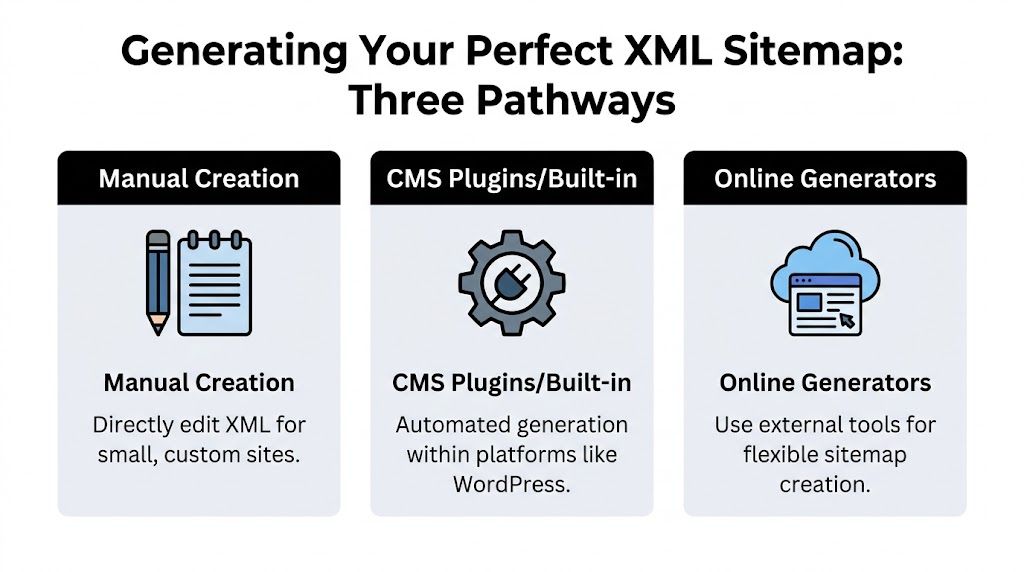
CMS plugins and built-in tools
If the site runs on WordPress, this is usually the right answer. Plugins such as Yoast or XML Sitemap Generator for Google automate the file, update it when content changes, and often create a sitemap index for larger sites.
This route fits teams that publish often and don’t want manual maintenance.
| Method | Best for | What works well | Main trade-off |
|---|---|---|---|
| CMS plugin | WordPress and similar CMS sites | Auto-updates, low maintenance, handles content changes | Can include low-value archives if settings aren’t reviewed |
| Online generator | Smaller static sites | Fast setup, no development needed | Easy to forget updates after new pages publish |
| Manual or scripted | Custom platforms and complex sites | Full control over included URLs and logic | Requires ongoing discipline and technical oversight |
A few practical checks matter more than the plugin brand:
- Review what’s included. Category pages, tag archives, and utility pages can slip in.
- Confirm canonical alignment. Sitemap URLs should match the canonical versions you want indexed.
- Keep last modified dates honest. If your system updates every page timestamp on trivial changes, the sitemap becomes less useful.
For teams comparing approaches, this ultimate guide to XML sitemap creation is a useful companion to Google’s documentation.
Online generators for smaller sites
Online generators are practical when the site is simple, static, or lightly updated. You enter the domain, let the tool crawl, and upload the resulting XML file.
That can work for brochure sites and campaign microsites. It tends to break down when content changes weekly and nobody remembers to regenerate the file.
A static sitemap on a fast-moving site becomes historical documentation, not an SEO asset.
If you’re building content workflows around organic discovery, it also helps to connect this work to broader AI-assisted execution. This guide on how to use AI for SEO is useful for turning repetitive technical tasks into repeatable operating procedures.
Manual or scripted generation
Custom sites often need custom sitemap logic. A developer might generate XML from the database, split files by content type, or output a sitemap index that references separate page, post, and media sitemaps.
Google’s basic XML structure is straightforward. A minimal entry includes a <loc> and can include a reliable <lastmod> value. What doesn’t help much anymore are <priority> and <changefreq> tags. In practice, they add clutter without much benefit.
Manual control is strongest when you need to exclude thin pages, handle multilingual rules carefully, or keep only revenue-driving templates in the sitemap. It’s weakest when nobody owns ongoing maintenance.
Verifying Ownership and Submitting Your Sitemap
The best sitemap in the world does nothing until Google can access it through a verified property in Search Console.
First, verify your domain
Open Google Search Console and add your site as a property. Google gives you more than one verification method, but the choice should match who controls the site.
Use this logic:
- Choose domain-level verification if you want one property covering the full domain setup.
- Use URL-prefix verification if access is limited and you only need a specific version of the site.
- Coordinate with the right owner. Marketing often starts this process, but the actual verification step may sit with development or whoever manages the site platform.
The mistake I see most often is verifying one version of the site and then submitting a sitemap from another. Keep the property and sitemap path aligned.
If your team is still ironing out basic sitemap creation before submission, this walkthrough on how to make a sitemap is a helpful primer.
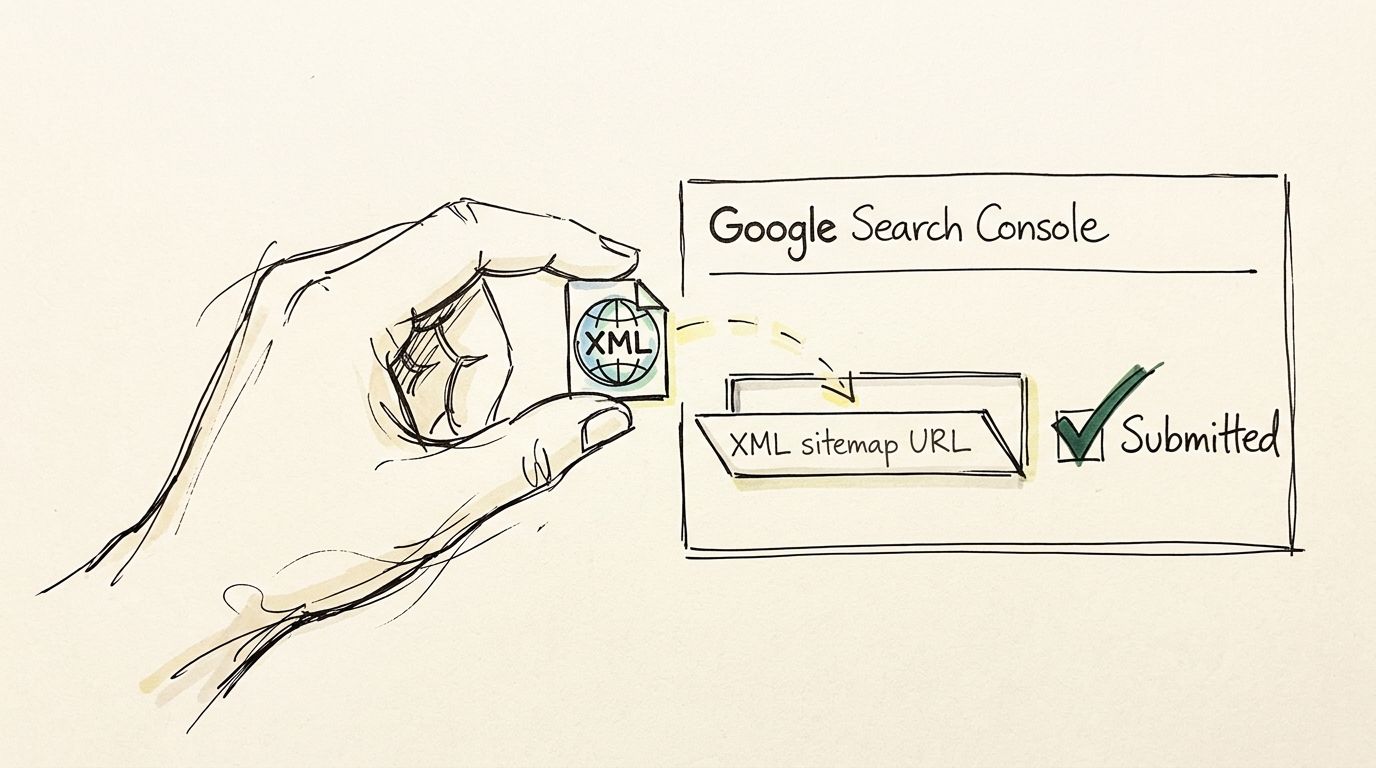
Next, submit the sitemap URL
Once the property is verified:
- Open the correct property in Search Console.
- Go to Indexing and then Sitemaps.
- Enter the relative sitemap path, such as
sitemap.xmlor a sitemap index path if your CMS uses one. - Click Submit and wait for Google to process it.
After submission, Search Console will show whether Google could access the file and when it was last read. If you’re troubleshooting broader discovery issues at the same time, this guide on why doesn't my website show up on Google helps connect sitemap issues to indexing and visibility problems.
Search Console’s interface is simple enough that a short visual walkthrough often speeds things up:
What to expect after submission
Google may process the file quickly, but don’t confuse processing with indexing. Submission tells Google where the map is. It doesn’t force every listed page into search results.
What works after submission is monitoring whether the sitemap stays healthy and whether the listed pages match what Google chooses to index. That’s where Search Console becomes operational, not just administrative.
Fixing Common Sitemap Errors in Search Console
Search Console errors usually point to one of three problems. Google can’t fetch the file, the sitemap includes the wrong URLs, or the platform generates a sitemap in a way Google doesn’t like.

Couldn't fetch
Plain English meaning: Google tried to access the sitemap and failed.
Common causes include a broken sitemap path, temporary server access problems, or a sitemap URL that isn’t publicly reachable. Start by opening the sitemap in a browser. If you can’t load it cleanly, Google probably can’t either. Then confirm that the submitted path exactly matches the live file location.
Sitemap contains blocked URLs
Plain English meaning: your sitemap is listing pages that send mixed signals.
This often happens when the sitemap includes URLs blocked from crawling, non-canonical versions, or pages you’ve intentionally excluded elsewhere. The fix isn’t in Search Console. The fix is in the sitemap source. Remove URLs that don’t deserve indexing and let the generator output only canonical, indexable pages.
Keep one rule in mind. If a page shouldn’t be indexed, it usually shouldn’t be in the sitemap either.
Platform-specific failures
Many guides stop being useful at this point. Some platforms don’t handle sitemaps in a standard way. Google Sites explicitly lacks XML sitemap generation, and Google admits auto-discovery can miss 15-20% of pages without hints. The same source notes a 12% error rate in non-standard setups.
That matters for teams using Google Sites, HighLevel, or unusual multisite configurations.
A practical response looks like this:
- Google Sites. Focus on strong internal linking and clear page discovery, because you may not control a classic XML sitemap.
- HighLevel or multisite setups. Check whether the platform exposes the sitemap at the expected path and whether subdomains create separate sitemap behavior.
- Agency environments. Standardize a QA checklist for every new property before submission.
Invalid format or empty sitemap
If Search Console says the file is invalid, inspect the XML itself or the generator settings. Empty files, malformed tags, and broken references usually come from a plugin conflict or a custom template issue. Regenerate the sitemap, clear any caching layers involved, and test the live output again before resubmitting.
Monitoring Sitemap Health and Index Coverage
Submitting a sitemap is the opening move. The useful work starts when Search Console tells you how Google responded.
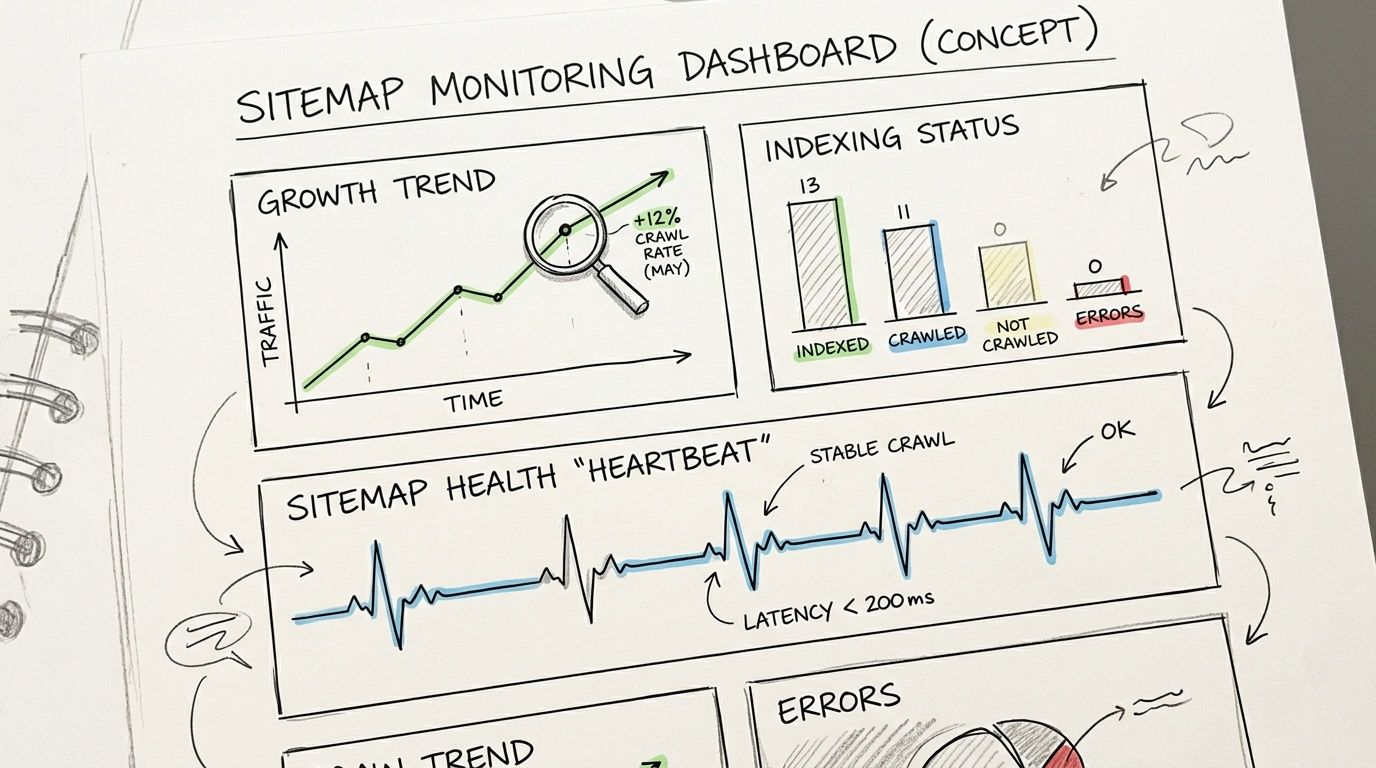
What to look at inside Search Console
The sitemap report shows whether Google can read the file. The more strategic view comes from index coverage and page-level patterns.
Look for situations like these:
- Submitted but not indexed. The page is in your sitemap, but Google still hasn’t accepted it into the index.
- Crawled but currently not indexed. Google visited the page and decided not to keep it, at least for now.
- Discovered but not indexed. Google knows the URL exists but hasn’t prioritized crawling or indexing it yet.
Each state suggests a different action. Sometimes the issue is page quality. Sometimes it’s duplication. Sometimes the sitemap is clean, but the internal linking around that page is weak.
Turn sitemap data into action
The fastest wins usually come from reviewing the mismatch between what you submitted and what Google indexed.
Use a simple review cycle:
- Export the affected URLs from Search Console.
- Group them by template such as blog posts, product pages, or landing pages.
- Inspect intent and uniqueness. If pages are thin or too similar, indexing hesitation is expected.
- Strengthen internal links from authoritative pages to the URLs that matter most.
- Update the sitemap only after fixing the page quality issue, not as a substitute for it.
Many teams become more effective. They stop asking, “Did we submit the sitemap?” and start asking, “Why is Google rejecting this class of pages?”
For marketing teams that want to tie technical visibility to business reporting, this resource on SEO visibility search metrics helps frame the right KPIs around discovery, indexing, and search presence.
Search Console is most useful when you treat sitemap coverage as feedback on content quality and site structure, not a pass-fail technical checkbox.
What doesn’t work
Blind resubmission rarely fixes anything. If a page isn’t indexed because it’s duplicative, weak, or disconnected, resubmitting the same flawed sitemap just repeats the signal. Good sitemap management is really selective indexing management.
The Next Frontier: Sitemaps and AI Search Engines
Traditional sitemap work now affects more than blue-link rankings. It also shapes whether your content becomes available to AI-driven search experiences.

Most sitemap guides still stop at Search Console. That misses the bigger shift. AI chat searches surged 1400% from 2023-2025, and the same analysis argues that LLMs pull from Google-indexed sources, which makes sitemap optimization relevant for AI answers. It also reports that marketers using platforms like promptposition saw a 30% uplift in AI visibility after sitemap resubmission.
The important takeaway isn’t that a sitemap directly ranks you in ChatGPT or Gemini. It doesn’t work that way. The takeaway is that indexation quality upstream affects visibility downstream. If Google has trouble discovering, refreshing, or trusting your pages, AI systems have less chance of surfacing your content in meaningful answers.
What changes in practice
For AI-era search, sitemap hygiene becomes more strategic:
- Freshness matters more. Accurate
lastmodvalues help reinforce which pages deserve another crawl. - Media matters more. Image and video sitemap extensions can improve how rich assets get discovered.
- Coverage matters more. If high-value pages aren’t consistently indexed, they’re less likely to influence AI-generated responses.
This also changes how marketing teams should measure outcomes. Ranking reports alone won’t show whether AI tools mention your brand, use your pages as a source, or describe your category position accurately.
That’s why AI search work now needs its own measurement layer. If you’re building that capability, this guide to AI search engine optimization is a useful place to start.
A sitemap used to be mainly about crawl efficiency. Now it’s also part of how you protect discoverability in systems that summarize the web for users.
The practical trade-off is simple. Over-optimizing the sitemap won’t rescue weak content. Ignoring the sitemap leaves discovery too dependent on chance. The brands that win tend to do both jobs well. They maintain a clean sitemap and publish pages that deserve to be indexed, cited, and reused by AI systems.
If your team wants to see how AI models present your brand after your pages get indexed, promptposition gives you a practical way to track visibility, sentiment, competitor positioning, and the underlying sources across ChatGPT, Claude, Gemini, Perplexity, and other leading models. It turns AI search from guesswork into something you can measure and improve.