Why Robot TXT Noindex Fails & What to Use Instead

If your team still thinks robot txt noindex is a valid way to keep pages out of Google, you're working from outdated advice.
That mistake shows up in real marketing workflows all the time. A team launches a campaign hub, adds noindex to robots.txt, assumes the job is done, and then wonders why the URL still appears in search. The problem isn't subtle. It's a mismatch between the instruction you're giving and the system you're trying to control.
That matters even more now because visibility is no longer just about Google's index. A page can disappear from search results and still surface in AI-generated answers, training data, or retrieval systems. If you manage brand, content, or SEO, you need tighter control than old forum advice can give you.
The Enduring SEO Myth of Robot TXT Noindex
The myth survives because it used to be sort of true.
Google supported noindex in robots.txt unofficially for years. That history left a long tail of blog posts, agency playbooks, and inherited technical setups that still treat it like a valid option. But that support ended years ago, and many teams never updated their mental model.

A lot of SEO mistakes persist because they once worked, or seemed to work. That's why it's useful to revisit lists of other common SEO myths that still shape decisions long after the underlying platforms changed.
The practical issue is simple. robots.txt is not where you control indexing anymore. If your team is still relying on robot txt noindex, you're using a retired method and expecting current systems to honor it.
That creates two risks:
- Search risk because pages you meant to hide can remain indexed.
- Measurement risk because your reporting becomes unreliable. Teams think the rule is in place, so they stop investigating.
- AI visibility risk because old SEO advice says nothing about how modern AI systems may ingest or reuse content.
For teams trying to understand search and AI discoverability together, this is exactly the kind of technical misunderstanding that spills into strategy. That's part of why AI-focused marketers are now treating indexing controls as part of a broader visibility framework, not just a cleanup task. A useful starting point is this guide to https://www.promptposition.com/blog/ai-search-engine-optimization/.
Practical rule: If the goal is "don't show this in Google," don't start with
robots.txt. Start with a method Google can actually read at the page or header level.
Understanding Crawling vs Indexing
Most confusion around robot txt noindex comes from treating crawling and indexing like they're the same thing. They aren't.
A simple way to explain it to a marketing team is the library model. A crawler is the librarian walking through rooms and examining books. The index is the public catalog. One action is about access. The other is about inclusion.
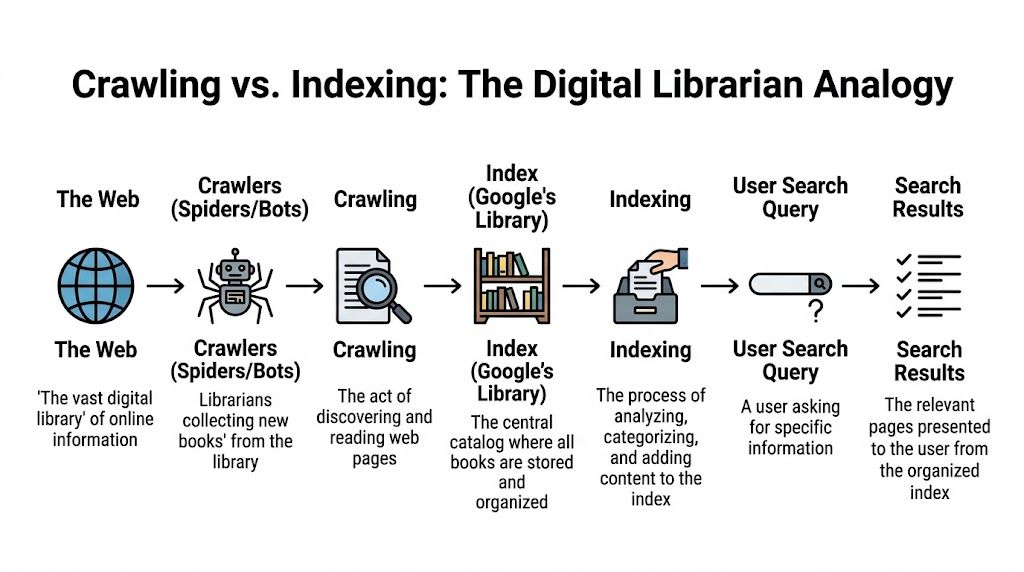
What robots.txt actually does
robots.txt tells crawlers where they shouldn't go.
It can discourage crawling of folders, files, or URL patterns. That's useful when you want to reduce wasted crawling on low-value areas like internal search results, faceted combinations, or staging sections that should never be explored.
But robots.txt doesn't function as a guaranteed "keep this out of search results" command. If a search engine knows a URL exists from links, references, or prior crawling, that URL can still be associated with the index.
What noindex actually does
noindex is different. It's an indexing instruction.
You place it where the crawler can read it on the page itself or in the HTTP response headers. That way the crawler can access the resource, process the instruction, and decide not to keep it in the index.
This is why the library analogy matters. Telling the librarian "don't walk into Room B" is not the same as handing the librarian a visible note that says "don't catalog this book."
Why the old approach died
Google formally ended support for noindex in robots.txt on September 1, 2019, after announcing the shift in July 1 to 2, 2019. Google had supported the behavior unofficially for more than a decade, with Matt Cutts documenting the practice in 2008, but retired it after analysis showed misuse was widespread. Gary Illyes said "the number of sites that were hurting themselves was very high" (Lumar).
That quote explains why this topic isn't a tiny technical footnote. Teams were damaging their own visibility because they used a crawl control to solve an indexing problem.
The working mental model
Keep this split clear:
- Use
robots.txtwhen you want to limit crawler access. - Use
noindexwhen you want a page or file removed from search indexes. - Don't swap them because they solve different problems.
If the crawler can't see the page, it can't read the indexing instruction on that page.
That one sentence eliminates a lot of bad implementations.
The Right Tools for Indexing Control
If you need a page out of the index, you have two supported options. That's it.
The meta robots tag and the X-Robots-Tag HTTP header are the two equivalent, Google-supported ways to block indexing. The meta tag belongs in the <head> of an HTML page. The header version is sent in the HTTP response, which makes it the right fit for non-HTML assets like PDFs or images (MDN on robots meta directives).
Choosing the correct method
The choice isn't philosophical. It's based on file type and implementation control.
| Criterion | Meta Robots Tag | X-Robots-Tag HTTP Header |
|---|---|---|
| Best fit | HTML pages | Non-HTML files and server-level control |
| Where it lives | Inside the <head> of the document |
In the HTTP response header |
| Typical use cases | Blog posts, category pages, thin landing pages | PDFs, images, video files, generated documents |
| Needs page access to read? | Yes | Yes |
| Good for bulk rules? | Sometimes, if templated | Often, if applied by server logic |
| Example directive | <meta name="robots" content="noindex"> |
X-Robots-Tag: noindex |
Meta robots tag example
Use this on an HTML page you don't want indexed:
<meta name="robots" content="noindex">
If you also want to stop link following from that page, use:
<meta name="robots" content="noindex, nofollow">
Other directives can be stacked when needed. For example:
<meta name="robots" content="noindex, noarchive, nosnippet">
That's useful when the page shouldn't appear in search and you also don't want a cached result or snippet treatment.
X-Robots-Tag example
Use this when the asset isn't an HTML page, or when your server rules are the cleanest place to manage indexing:
HTTP/1.1 200 OK
X-Robots-Tag: noindex
This is the better method for PDFs, media files, and documents generated outside your CMS template layer.
When teams usually choose wrong
The common implementation mistake isn't syntax. It's scope.
Marketing teams often add a meta tag manually to one page and assume the problem is solved across a whole page set. Or engineering applies a header too broadly and accidentally suppresses indexation for files that should rank. The fix is to decide first whether you're controlling:
- a single page
- a template group
- a file class
- or a pattern generated outside the CMS
Use the page for page decisions. Use the server for file and pattern decisions.
If your work increasingly spans both search indexing and AI discoverability, the tooling conversation gets broader than Google Search Console. Teams evaluating platforms in that space often start with resources like https://www.promptposition.com/blog/ai-seo-software/ to understand what should be monitored.
Why Combining Disallow and Noindex Backfires
This is one of the most common technical SEO own goals.
A team blocks a URL in robots.txt with Disallow, then adds a noindex tag to the page template. On paper, it looks extra safe. In practice, it's contradictory.
The logic problem
Go back to the librarian analogy.
You're telling the librarian not to enter the room. Then you're taping a note inside the room that says "don't catalog this book." The note exists, but the librarian never sees it.
That's exactly what happens when a crawler is blocked from accessing a page that contains the noindex directive. The crawler skips the page, which means it can't read the instruction that would have removed the URL from the index.
What this looks like in search
When this happens, the URL can linger in search in an awkward state.
You may see the address still known to Google, sometimes with limited presentation because Google has restricted information about the page. Teams often describe these as zombie listings. They're not fully useful in search, but they also haven't gone away.
What to do instead
Pick one objective first.
If the goal is removal from the index, allow crawling long enough for the crawler to read noindex.
If the goal is crawl restriction, use robots.txt, but don't expect that alone to act as a guaranteed deindexing mechanism.
A cleaner way to frame this is:
- Need the URL gone from search? Make it crawlable and apply
noindex. - Need to reduce crawling of low-value sections? Use
robots.txt. - Need both at different stages? Sequence the changes, don't stack contradictory instructions at the same time.
A blocked page can't deliver a page-level instruction.
That single implementation detail explains a large share of indexing tickets.
Beyond Google Controlling Visibility in AI Search
The old SEO playbook assumes Google is the whole battlefield. It isn't anymore.
A page can be excluded from Google's index and still influence how your brand appears in AI systems. That's where the robot txt noindex conversation gets more interesting, because the usual search guidance doesn't fully answer the next question: will an LLM respect the same controls?
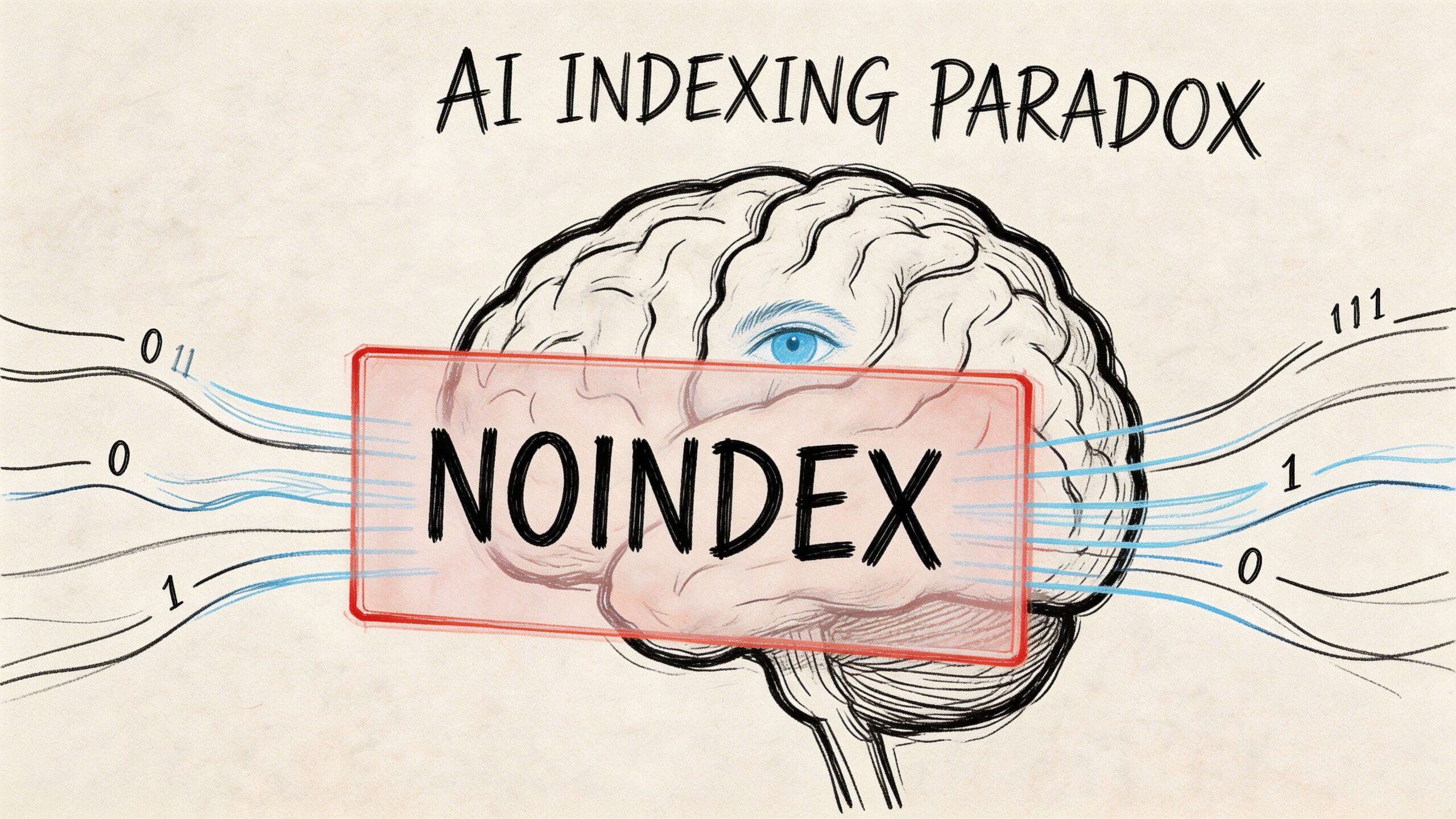
The AI indexing paradox
Current SEO documentation focuses on search engine indexing behavior, but it doesn't provide clear rules for whether LLMs respect noindex when collecting content for training datasets or retrieval workflows. That creates an AI Indexing Paradox where a page blocked from Google may still appear in ChatGPT-style environments. The same context notes that a 2025 study suggested 60 to 70 percent of websites have not updated their policies for AI crawlers (Google documentation context).
That gap matters for brand and communications teams.
If you remove a page from Google because it's outdated, legally sensitive, off-message, or partner-only, you may assume it's no longer part of your discoverability footprint. That assumption may be wrong in AI environments.
Search visibility and AI access are not identical
Strategy gets more nuanced than standard SEO checklists.
A noindex directive is designed to affect search indexing for engines that support it. It is not a universal "erase this from all machine-readable systems" instruction. That distinction is one reason more teams are studying adjacent frameworks like Generative Engine Optimization (GEO), which focus on how brands surface in AI-generated answers rather than in blue-link search alone.
For teams trying to set policy, a few practical principles help:
- Separate goals clearly. Search suppression and AI suppression may require different controls.
- Audit sensitive content classes. Pricing pages, executive bios, gated thought leadership, internal PDFs, and old campaign assets often need different treatment.
- Document crawler policies intentionally. AI-specific crawler handling is no longer an edge concern.
A tactical nuance most guides skip
There is an under-discussed scenario where disallow without noindex can be strategically useful.
If a page must remain visible in traditional search but you want to limit access by specific crawlers that honor robots.txt, a crawler-specific robots policy may be worth evaluating. That is very different from using disallow as a deindexing tool.
It won't solve every AI visibility problem. It also won't guarantee behavior across all systems. But it reflects a distinct split between search presence and machine access.
A strong primer on this policy layer is https://www.promptposition.com/blog/llms-txt/.
One useful explainer on the broader shift is below.
Watch for this trap: teams often apply classic SEO rules to AI visibility problems and assume the outcome is the same. It often isn't.
Troubleshooting Common Indexing and Robots TXT Issues
When a page won't leave the index, don't guess. Check the implementation in the order Google encounters it.
The page still appears in Google
Start with the live URL, not your CMS settings.
Use Google Search Console's URL Inspection tool and check the current crawled version. The most common problem is that the intended noindex was added in a draft, in a JavaScript layer Google didn't process as expected, or on a different URL variant than the one indexed.
Then verify:
- Canonical alignment. Make sure you're testing the exact URL Google is showing, including protocol, subdomain, trailing slash, and parameters where relevant.
- Rendered source. Confirm the meta robots tag appears in the
<head>, not just in a component preview. - Header output. For PDFs or files, inspect the actual response headers and confirm the
X-Robots-Tagis present.
The tag exists, but nothing changes
A correct tag doesn't help if the page is blocked from being crawled.
Check robots.txt and look for accidental Disallow rules that prevent access to the URL. Also check whether internal links or sitemaps are still reinforcing that URL as a normal site page.
If the goal is removal, keep the URL accessible long enough for the crawler to process the noindex.
The wrong pages got noindexed
This usually comes from template logic, not search engine behavior.
Review whether a global rule was added to a page type that includes pages you want indexed. This happens often on filtered collections, campaign templates, and headless implementations where one component controls many outputs.
Use a simple audit checklist:
- List affected URLs and identify the shared template or header logic.
- Compare indexable and non-indexable examples from the same content type.
- Inspect one live page manually before changing rules sitewide.
- Resubmit key URLs for validation after the fix.
For teams dealing with broader discoverability issues, including pages that don't surface when they should, this guide can help frame the diagnosis: https://www.promptposition.com/blog/why-doesnt-my-website-show-up-on-google/
Frequently Asked Questions on Noindex Strategies
How long does it take for Google to remove a page after adding noindex
It depends on when Google recrawls the page and reads the directive.
A documented case study found that after proper implementation, a site achieved an 85 percent de-indexing rate within one month, and reached approximately 95 percent removal of the submitted URLs shortly after (TLDR SEO case study). That's a useful benchmark for large-scale cleanup, not a guarantee for every site.
Is noindex the same as a canonical tag
No.
A canonical tag is a consolidation hint. It tells search engines which version of similar content you prefer to be treated as the main URL. A noindex directive tells search engines not to keep that page in the index. They solve different problems and shouldn't be treated as substitutes.
Can I use noindex on files that aren't HTML pages
Yes, if you use the X-Robots-Tag HTTP header.
That's the right method for assets like PDFs or images where you can't place a meta robots tag in an HTML <head>.
Can I use robot txt noindex today
No, not as a supported Google deindexing method.
If your goal is to remove content from search, use a page-level meta robots tag or an X-Robots-Tag header that the crawler can access and process.
If your team needs to track not just Google visibility but also how AI systems describe your brand, promptposition gives you a practical way to monitor LLM visibility, sentiment, competitor presence, and the sources shaping those answers. It's built for marketers who need to turn AI search from a black box into something they can measure and improve.