What is Web Indexing? Your 2026 SEO Guide

You publish a page you’re proud of. The topic is right, the writing is sharp, the design looks clean, and the team expects traffic to start coming in.
Then nothing happens.
No clicks. No impressions worth talking about. No sign that Google or an AI assistant even knows the page exists. At that moment, many teams realize they’ve been focused on content creation, not content discoverability. The missing piece is web indexing.
If you’ve ever asked “what is web indexing” in plain English, the short answer is this: it’s the process search engines use to understand a page and store it so they can retrieve it later when someone searches. If a page isn’t indexed, it’s effectively invisible in search.
That idea now matters beyond Google. Marketing teams also need to think about how AI systems find, absorb, and surface information. Traditional indexing is the foundation. It’s no longer the whole game.
Your Content Is Invisible Without Web Indexing
A common marketing failure looks like a content problem, but it’s really an indexing problem.
A team launches a new product page. They share it internally, maybe even on social. A week later, someone searches the brand name plus the product and can’t find the page in Google. The first reaction is, “Maybe the content isn’t good enough.”
The page is fine. The issue is that search engines haven’t added it to their working library yet, or they decided not to.
Think of indexing as the point where your page becomes eligible to appear. Before that, ranking doesn’t matter. Keywords don’t matter. Backlinks don’t matter. A beautifully written page that isn’t indexed can’t compete because it’s not even in the system.
That’s why indexing sits at the center of SEO operations. It connects publishing to visibility.
Here’s the practical version:
- You create a page. It exists on your website.
- A crawler finds it. That doesn’t mean it will be indexed.
- The search engine evaluates it. It checks what the page is, whether it’s accessible, and whether it should be stored.
- If it’s indexed, it can show up for relevant searches.
- If it’s excluded, it stays out of sight.
Practical rule: A live URL is not the same thing as an indexable URL.
This is also why troubleshooting starts with visibility checks, not copy rewrites. If your page isn’t showing up, you need to know whether it has a ranking issue or an indexing issue. Those are different problems with different fixes.
If your team is dealing with that exact frustration, this guide on why your website doesn't show up on Google is a useful companion read.
The same logic is beginning to shape AI visibility too. A brand can publish strong content and fail to become a source that answer engines rely on. Search indexing gets you into the library. AI visibility raises a harder question. Will the new systems use your material when they generate answers?
How Search Engines Build Their Digital Library
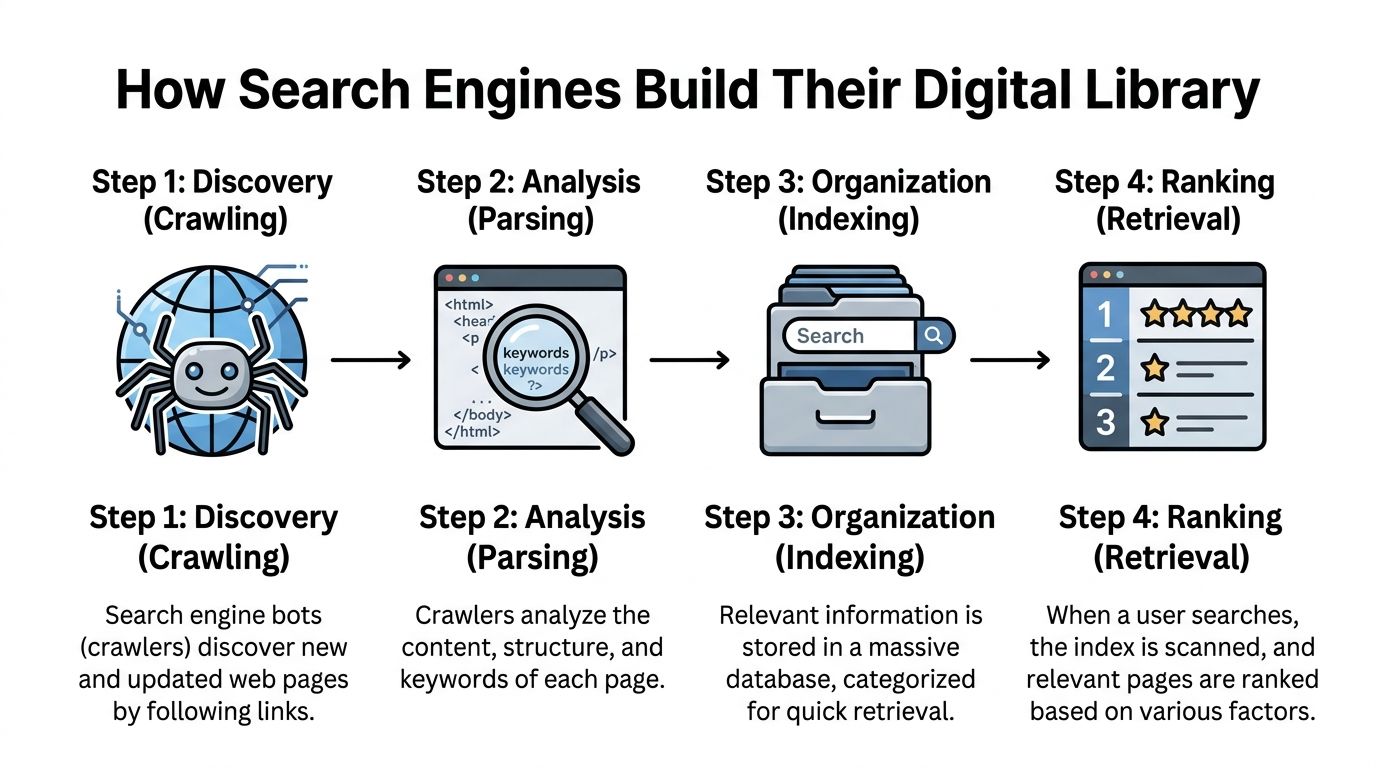
Search engines build their digital library through a multi-step process that marketers often blur together: crawling, parsing, indexing, and ranking.
Those steps happen in order. Each one answers a different question.
Crawling asks, "Can we find this page?" Parsing asks, "What is on it?" Indexing asks, "Should we store it in a retrievable form?" Ranking asks, "When someone searches, where should it appear?"
Crawling means discovery
Crawling is how a search engine discovers URLs in the first place.
Bots find pages by following internal links, reading XML sitemaps, and revisiting known URLs to check for updates. A clear site structure helps them move from important pages to deeper ones without wasting time. Orphan pages, broken links, and blocked paths slow that process down or stop it completely.
A common mistake in marketing teams is assuming a published page is automatically part of Google's world. It is only part of your CMS until something points a crawler to it.
One internal link from a strong hub page can speed up discovery more than teams expect.
Parsing means interpretation
After a crawler fetches a page, the engine has to interpret what it downloaded.
It reviews visible copy, headings, images, structured HTML elements, canonicals, and other technical cues to work out topic, purpose, and relationships to other pages. In practical terms, this is the cataloging stage. The system is not just collecting a page. It is deciding what kind of page it is and how it relates to similar documents across the web.
That is also where duplicate handling starts to matter. Search engines group near-identical URLs into clusters and choose a canonical version as the primary reference. Product filters, tracking parameters, printer pages, and inconsistent CMS routes often create duplicate versions that compete for attention inside that cluster.
For marketers preparing for both search and AI retrieval, this idea matters more than it used to. Machines need clean source signals. If your site publishes five slightly different versions of the same answer, you make that job harder. That is part of why machine-readable guidance files such as llms.txt documentation for AI discovery and source guidance are gaining attention.
Indexing means organized storage
Indexing is the point where a page is stored in a way that can be retrieved quickly later.
The useful mental model is a library catalog, not a box of scanned pages. Search engines do not need to reread the full web for every query. They store processed information that helps them match terms, topics, entities, and page signals to likely results.
One common structure is an inverted index. It maps words and concepts to the URLs where they appear.
| Search term | Indexed pages |
|---|---|
| running shoes | Page A, Page C, Page D |
| waterproof jacket | Page B, Page D |
| canonical tag | Page E, Page F |
That structure is why search feels instant. The engine checks the index first, then applies ranking systems to the set of eligible pages.
Indexing is selective
Search engines do not index every page they crawl.
They make storage decisions based on quality, uniqueness, accessibility, duplication, and overall value. If a site publishes thin pages, parameter-heavy duplicates, or large batches of near-identical content, some of those URLs may be crawled and still left out of the index.
A bloated site architecture suppresses performance because it wastes crawl attention on pages that add little value, leaving stronger pages harder to discover, interpret, or revisit efficiently.
This issue shows up often on large WordPress sites where tag pages, archives, filtered URLs, and media attachments multiply faster than teams realize. If your team needs a practical reference for crawler directives in that environment, WordPress Robots Txt Guide What It Is And How To Use It is a useful companion.
Ranking comes last
Ranking is the visible outcome, not the starting point.
Once a page has been discovered, interpreted, and stored, the search engine can evaluate whether it fits a user's query and where it belongs among other candidates. That is the stage marketers usually focus on, but it depends on everything before it.
The bigger shift now is that classic indexing solves only part of the visibility problem. Search engines need retrievable pages. AI systems also need trustworthy source material they can interpret, attribute, and reuse. For modern marketing teams, getting into the search index is still foundational. It just no longer covers the whole job.
Speaking the Language of Search Engine Crawlers
If indexing is a library process, technical SEO is how you label the shelves, mark restricted rooms, and tell the staff which book edition matters most.
Marketers have more control here than they think.
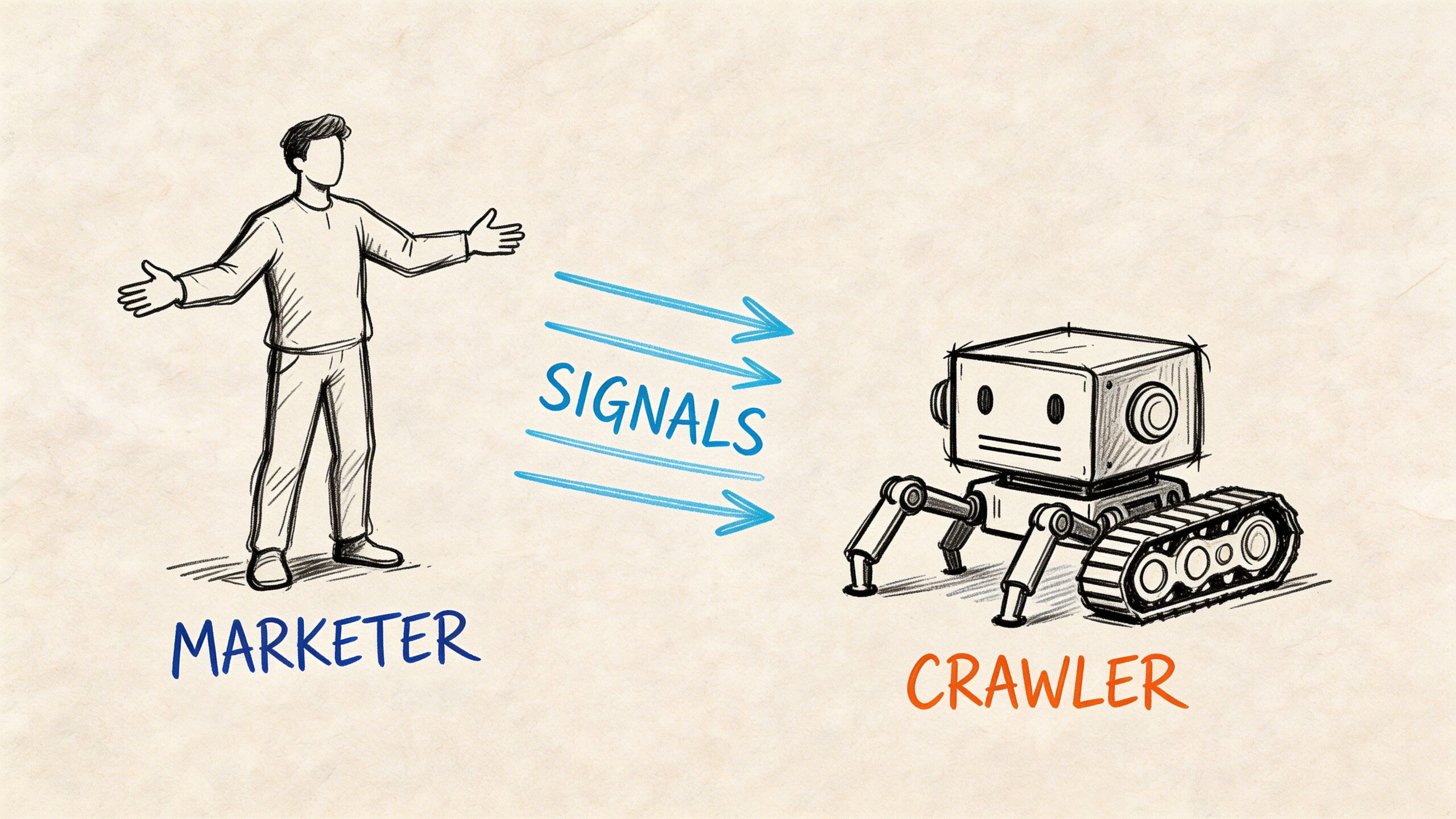
Search engines look for clear instructions. If your site sends mixed signals, they won’t stop to ask what you meant. They’ll make a decision with the information available.
Robots.txt tells crawlers where not to go
Your robots.txt file is a public set of crawl instructions.
It doesn’t force indexing decisions by itself, but it can block crawlers from accessing parts of a site. If important resources or pages are blocked there, search engines may not process those pages correctly. In indexing workflows, blocked resources via robots.txt can trigger exclusion, as explained in this analysis of web indexing and parsing behavior.
A simple mental model helps: robots.txt is the sign on the door, not the filing decision in the back office.
Common mistake:
- Blocking staging paths too broadly: Teams copy a development rule into production and accidentally block critical sections.
- Blocking assets needed for rendering: If crawlers can’t access key resources, they may struggle to understand the page.
- Assuming robots.txt equals privacy: It doesn’t hide sensitive content. It only gives crawl instructions.
If you manage a WordPress site and want a practical walkthrough, this WordPress Robots Txt Guide What It Is And How To Use It gives a solid beginner-friendly overview.
Meta robots tags make page-level requests
A meta robots tag gives instructions on the page itself.
On this page, you can say things like “index this page” or “noindex this page.” A noindex directive is one of the clearest ways to keep a page out of search. It’s useful for thank-you pages, internal search results, or temporary duplicate pages. It’s destructive when used by accident.
Example:
<meta name="robots" content="noindex, follow">
That tells the crawler not to index the page but follow the links on it.
Common mistake:
- Leaving noindex in place after launch: This happens after migrations, redesigns, and template changes.
Canonical tags point to the preferred version
A canonical tag helps search engines understand which version of similar pages should be treated as the main one.
That’s important when the same or very similar content exists at multiple URLs. Without a clear canonical signal, search engines may choose their own preferred version.
Example:
<link rel="canonical" href="https://www.example.com/main-page/" />
Use canonicals when the alternate pages should exist but shouldn’t compete with the main version.
Common mistake:
- Canonicalizing to the wrong page: Teams sometimes point a page to a broader category or homepage. That can cause the page to disappear from search consideration.
- Self-contradiction: A page marked noindex with a canonical to itself sends a messy signal.
Field note: Canonical tags are hints, but they’re powerful hints. Use them to consolidate duplicates, not to hide weak content architecture.
XML sitemaps help crawlers prioritize
An XML sitemap is a machine-readable list of URLs you want crawlers to know about.
Think of it as handing the library a clean acquisition list. It doesn’t guarantee every page gets indexed, but it improves discovery and helps engines focus on URLs you consider important.
This becomes more valuable on large sites, where clear sitemaps can improve crawl efficiency. The same Trysight analysis notes that clear sitemaps and server-side rendering can significantly boost indexation rates on complex sites.
Common mistake:
- Including junk URLs: Parameter pages, redirected pages, non-canonical URLs, or thin low-value pages dilute the sitemap’s usefulness.
Crawl budget decides how much attention your site gets
Crawl budget is the practical limit on how much search engine attention a site receives during a given period.
Small sites don’t need to obsess over it. Large sites should.
If crawlers waste time on duplicate filters, faceted navigation, weak search pages, or endless variants, high-value URLs may be discovered late or processed less often. Trysight also notes that Google’s process may skip a significant portion of discovered pages that lack quality signals in its indexing workflow analysis.
That’s one reason server-side rendering matters. The same source states that optimizing crawl efficiency with server-side rendering can improve how readily complex sites get indexed.
The signal checklist marketers should know
When your page isn’t showing up, check these first:
- Access status: Does the page return a clean response, or is it broken?
- Robots controls: Is anything in robots.txt blocking crawl access?
- Meta robots tag: Did someone accidentally set noindex?
- Canonical target: Does the canonical point to the right URL?
- Sitemap inclusion: Is the URL listed where it should be?
- Rendering path: Can the crawler understand the content without struggling through heavy client-side JavaScript?
If your team is also planning for AI discovery, this guide to SEO for LLM helps connect traditional crawl signals to the newer world of answer engines.
Why Google Indexing Is Not Enough for AI Visibility
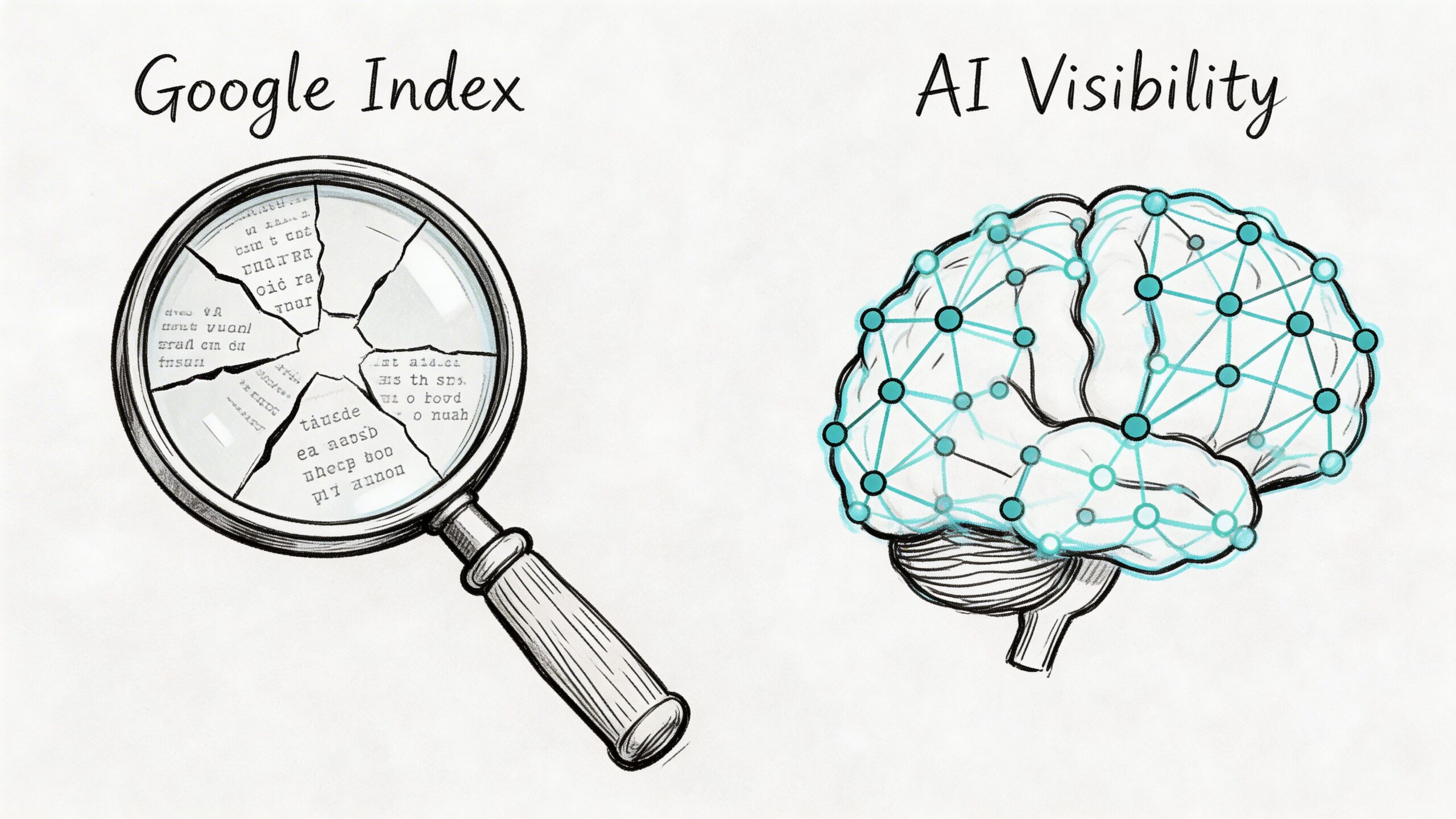
A page can be perfectly visible in Google and have little influence on what an AI assistant says.
That catches many teams off guard because traditional SEO training creates a linear model. Publish a page, get it crawled, get it indexed, rank for relevant queries. That model matters. It no longer fully explains visibility in systems like ChatGPT, Claude, Gemini, or Perplexity.
Search engines and LLMs don’t work the same way
Traditional search engines rely on live web crawling, indexing pipelines, and ranked retrieval from a searchable index.
Large language models work differently. The core issue is what SimpleTiger describes as the AI indexing paradox in its glossary entry on web indexing. LLMs may rely on static training datasets with knowledge cutoffs, and they use retrieval mechanisms such as vector embeddings rather than simple keyword matching and metadata tags. A page that’s well indexed by Google may have minimal effect on an LLM’s answer.
That changes the optimization target.
With Google, you’re trying to help the engine discover, understand, and rank your page for a query. With LLMs, you’re trying to increase the odds that your brand, claims, and supporting sources become part of the model’s understanding or retrieval layer.
The same page can perform differently in search and AI
Here’s a simple comparison:
| Question | Traditional search | AI assistant |
|---|---|---|
| How is content found | Crawling links and sitemaps | Training data, retrieval systems, cited sources |
| How is relevance judged | Keywords, links, content signals, technical access | Context, source credibility, citation patterns, semantic similarity |
| What the user sees | Ranked list of links | Synthesized answer, with selective citations |
| Can Google indexing guarantee visibility | Sometimes for search appearance | No, not for AI answer inclusion |
This is the blind spot. Many brands assume strong Google performance automatically carries over into AI-generated answers.
It doesn’t.
A search engine can send traffic to your page because it ranked that page for a keyword. An LLM might answer the same question by drawing on other publications, industry summaries, or repeatedly cited third-party sources instead of your site.
Good SEO matters. But AI systems may reward different source patterns than the ones that win a standard search result.
What marketers need to track now
The job is no longer “rank higher.”
It’s also:
- Be included in the sources AI systems rely on
- Be described accurately when AI mentions your brand
- Understand which publishers or pages shape AI narratives in your category
- Spot gaps where competitors are being cited more than you are
Here, the idea of AI source attribution becomes important. You need to know not only whether your pages can rank, but whether your brand is becoming part of the answer layer.
That means broader work than classic on-page SEO:
- strengthening source credibility
- earning mentions from publications LLMs appear to rely on
- publishing clear factual pages that machines can interpret cleanly
- reducing ambiguity in how your company, product, and category are described across the web
If your team is mapping that shift in more detail, this introduction to generative engine optimization is a helpful next step.
The practical mindset shift
The old question was, “Did Google index our page?”
The newer question is, “When an AI system answers a question about our market, what sources and narratives is it pulling from?”
Those are related questions, but they aren’t interchangeable.
Web indexing remains the base layer. Without it, your content struggles to participate in search at all. But AI visibility introduces a second layer. It asks whether your information is trusted, repeated, and retrievable in systems that summarize rather than rank.
A Practical Guide to Auditing Your Website’s Indexing
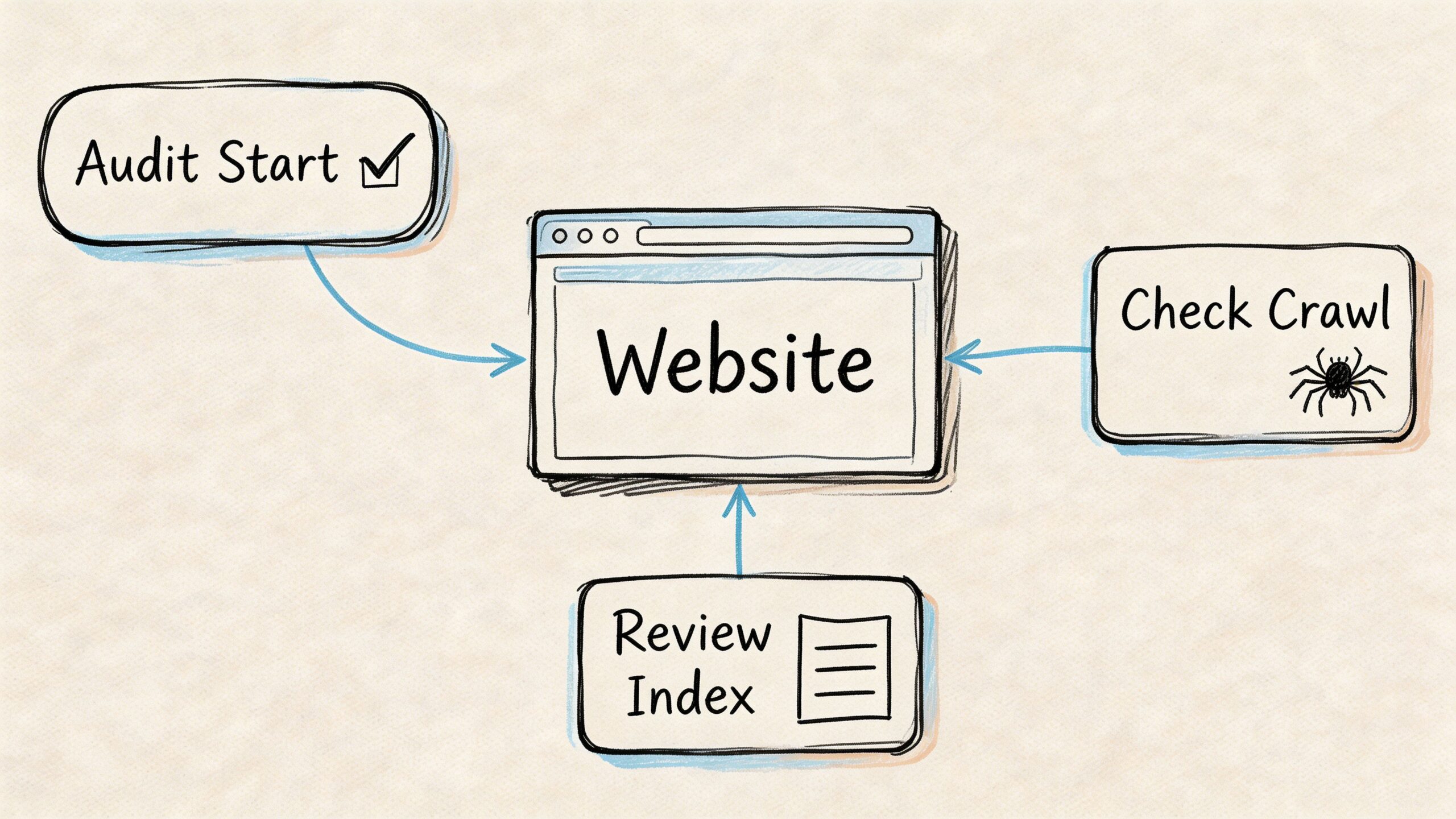
Many indexing audits don’t need fancy software at the start. You can learn a lot in a few minutes if you ask the right questions in the right order.
The goal is not to collect endless reports. The goal is to answer one business question for each important URL: Can search engines discover, process, and store this page?
Start with the fast visibility check
The quickest test is a Google site: search.
Type your domain into Google like this:
site:yourdomain.com
You can also check a specific URL:
site:yourdomain.com "exact page title"
This doesn’t give a perfect inventory, but it answers a useful first question: Does Google appear to know this page or section exists?
Use it to spot obvious problems:
- A missing key page: likely not indexed, or indexed under a different URL.
- Unexpected URLs appearing: parameter pages, old drafts, or duplicate routes may be getting attention you didn’t intend.
- Old pages still visible: redirects or canonicalization may need work.
Use Google Search Console for page-level truth
After the quick search, move to Google Search Console.
The most useful feature for a single URL is URL Inspection. It helps answer: What does Google say about this exact page?
Look for these signals:
- Indexing status: Is the page indexed or excluded?
- Crawl status: Was it discovered successfully?
- Canonical choice: Did Google accept your canonical, or choose another page?
- Fetch details: Could Google access the content and resources?
- Last crawl timing: Has the page been revisited recently?
If the page is excluded, Search Console gives a reason. Your fix begins here.
Common examples include:
| Search Console finding | What it means |
|---|---|
| Excluded by noindex | A page-level instruction is blocking indexation |
| Duplicate without user-selected canonical | Google found similar pages and chose one itself |
| Crawled, currently not indexed | Google saw the page but didn’t add it |
| Discovered, currently not indexed | The page is known but hasn’t been processed fully |
Don’t panic when you see exclusions. The useful question is whether the right pages are excluded and the right pages are included.
Review indexing patterns at the section level
Single-page checks are useful, but patterns matter more.
Open the Pages or coverage-style reporting in Search Console and look by page type:
- blog articles
- product pages
- category pages
- help center content
- location pages
You’re looking for clusters of issues, not isolated noise.
For example, if most product pages are indexed but a whole category isn’t, the problem is likely template-based. If blog content indexes fine but JavaScript-heavy landing pages don’t, rendering may be part of the issue.
Your XML sitemap also becomes a sanity check here. Important URLs should be represented clearly and consistently.
Move into crawler diagnostics
If the issue isn’t clear, use a site crawler such as Screaming Frog or another technical SEO auditing tool.
A crawler helps answer: What signals is the site sending at scale?
Check for:
- Status code problems: pages that fail to return a clean page response
- Meta robots errors: noindex appearing where it shouldn’t
- Canonical conflicts: pages canonicalized to the wrong destination
- Internal linking gaps: important URLs with weak internal discovery paths
- Orphan pages: URLs that exist but aren’t linked from the rest of the site
Teams discover the issue here isn’t content quality at all. It’s a bad template rule, a migration artifact, or inconsistent linking.
Use log files when scale becomes the issue
Large sites need log file analysis.
That’s the best way to answer: Where are search engine bots spending time on our site?
You can learn whether crawlers are wasting attention on faceted URLs, low-value archives, or duplicate paths while deeper commercial pages are visited less efficiently.
This matters most on enterprise sites, marketplaces, publishers, and large ecommerce catalogs.
Build a repeatable audit routine
A practical indexing audit follows this order:
- Check visibility quickly with a
site:search. - Inspect the specific URL in Google Search Console.
- Review section-level patterns in page reporting.
- Crawl the site to find technical conflicts.
- Analyze logs if crawl allocation looks inefficient.
Run that process before major content launches, after migrations, after CMS changes, and whenever a high-value section underperforms unexpectedly.
Tools for Mastering Search and AI Visibility
The best indexing toolkit isn’t one tool. It’s a stack.
Different tools answer different questions. One helps you confirm whether a page is indexed. Another shows how your site is linked internally. Another helps you understand whether AI systems are presenting your brand accurately.
Traditional search indexing tools
These tools handle the classic SEO side of indexing.
Google Search Console is the first stop. It tells you whether a URL is indexed, why a page may be excluded, and how Google is interpreting canonicals and coverage.
Screaming Frog is excellent for technical audits. It crawls your site like a bot and surfaces noindex tags, canonical conflicts, broken pages, redirect chains, orphan URLs, and weak internal linking patterns.
Ahrefs Site Audit and similar platforms are helpful for broader monitoring. They’re useful when you want recurring checks and easier reporting across teams.
A simple way to think about them:
| Tool | Best for |
|---|---|
| Google Search Console | Confirming Google’s view of a URL |
| Screaming Frog | Finding technical indexability issues at scale |
| Ahrefs Site Audit | Ongoing site health and monitoring |
AI visibility and source attribution tools
Traditional SEO tools were built for search engine indexing. They weren’t built to answer a newer set of questions:
- Is ChatGPT mentioning our brand?
- Is Claude describing us accurately?
- Which sources seem to shape Gemini’s answers in our category?
- Where are competitors being cited while we’re absent?
That’s a different problem space.
Here, promptposition fits. It’s built for AI search analytics, not search rankings. Marketing and brand teams can use it to track how models such as ChatGPT, Claude, Gemini, and Perplexity present their company, compare visibility against competitors, review wording used in model outputs, and identify the underlying sources those systems appear to rely on.
That matters because a ranking report won’t tell you whether an AI assistant is introducing your product correctly or skipping your brand entirely.
The practical split
Use traditional SEO tools to answer:
- can crawlers access the page?
- is the page indexed?
- are technical signals clean?
Use AI visibility tools to answer:
- does the model mention us?
- how does it frame us?
- which source ecosystem is shaping the answer?
Teams that separate those two jobs make better decisions. They stop treating Google indexing as the final score and start treating it as the base layer.
Your Web Indexing Questions Answered
How long does web indexing take
A page can go live today and still stay absent from search results for a while. That feels strange until you remember how indexing works. Publishing a page is like putting a new book on the front desk. Search engines still have to discover it, review it, and decide whether it belongs on the shelf.
The timeline depends on several things: whether crawlers can access the page, how clearly it is linked from the rest of the site, how much unique value it adds, and how hard it is to render. Pages built with clean HTML often get processed more easily than pages that depend heavily on JavaScript.
Some pages are indexed quickly. Others are delayed, rechecked, or skipped.
Does every page on my site need to be indexed
No. A strong index is selective.
You usually do not want internal search results, filtered duplicates, thank-you pages, login areas, admin paths, or thin utility pages showing up in search. If Google indexed every low-value URL on a site, it would be like a library shelving rough notes, duplicate handouts, and blank forms next to the main books.
The goal is not more indexed pages. The goal is the right indexed pages.
What’s the difference between crawling and indexing
Crawling is the visit. Indexing is the decision to store and retrieve later.
A search engine crawler can land on a page, read it, and move on without adding it to the index. That is why "crawled" and "indexed" are different statuses in SEO tools. One means the page was seen. The other means it earned a place in the searchable library.
New teams often mix these up, so it helps to separate the steps clearly.
Does clicking Request Indexing guarantee anything
No. It only asks for review.
Search Console can help surface a page sooner, but it does not override weak signals. If the page is blocked, duplicated, thin, or contradicted by canonicals and internal links, the request will not force Google to keep it.
Why is my page live but not searchable
A live page is not always an indexable page.
Usually the cause falls into one of these buckets:
- The page is hard to reach or returns the wrong status
- A noindex tag or crawl block is preventing access
- The canonical points to another URL
- The content is too similar to other pages
- Internal linking is so weak that discovery is inconsistent
This is also where marketers need to widen the lens. A page can be indexed by Google and still have little presence in AI-generated answers if it is not cited, referenced, or echoed across the sources language models appear to rely on. Search visibility and AI visibility overlap, but they are not the same thing.
Is indexing a one-time task
No. It needs regular checks.
Sites change constantly. Templates get updated, redirects break, navigation shifts, and CMS settings can introduce problems. Search engines also reevaluate pages over time, so a URL that was indexed last quarter can lose visibility later if the surrounding signals weaken.
Treat indexing like inventory management, not a one-off setup task.
Are there useful research tools for investigating pages and web footprints
Yes. For investigating pages and web footprints, broader research tools can help alongside SEO platforms. This collection of free OSINT tools is useful for teams checking how a brand, page, or topic appears across the open web.
That matters more now because AI systems often draw from a wider source ecosystem than your own site alone.
What should a beginner do first
Start with a simple workflow:
- Search for the page in Google
- Inspect the URL in Search Console
- Check for noindex, robots, canonical, and sitemap problems
- Strengthen internal links to the page
- Ask whether the page deserves to be indexed and cited
That last step matters more than many teams expect. Good indexing work gets your page into the search engine's library. Good source strategy improves the odds that AI systems also encounter, trust, and reflect your brand accurately.
If your team wants to go beyond classic SEO and understand how AI platforms present your brand, promptposition gives you a way to measure it. You can track visibility across leading models, compare competitor presence, inspect wording and sentiment, and identify which sources appear to influence AI-generated answers so you can improve both search and AI discoverability.