How to Track a Website for Changes: A Guide for Marketers in 2025
Tracking a website for changes can be as simple as using a visual comparison tool or as sophisticated as running scripts that monitor a site's raw HTML. At its core, it's about getting an alert when something is different—a price drop, a new blog post, or a design overhaul.
For years, this has been a fundamental practice for marketing and competitive intelligence. But in 2025, the concept has expanded dramatically. "Tracking changes" now includes monitoring how AI models like ChatGPT change what they say about you and your competitors over time. This guide will walk you through both traditional methods and the new frontier of AI-level monitoring.
Why You Must Track Competitor Website Changes Today

Not long ago, tracking a competitor's website was mostly about spotting price changes. Today, that’s just table stakes. What used to be a simple tech task has become a critical strategic exercise for any business that wants to stay ahead and drive action.
From Simple Alerts to Strategic Intel
Monitoring competitor sites gives you a direct window into their strategy. You get a heads-up on their most important moves before they ever announce them.
- Product Roadmaps: A new "features" page that appears overnight or a quiet update to a service description is a dead giveaway about where they're putting their resources.
- Messaging Pivots: Even subtle tweaks to headlines or homepage copy can signal a major shift in their positioning or the customer they're trying to attract.
- SEO Tactics: Catching changes to their title tags, meta descriptions, or internal links reveals exactly how they're trying to outmaneuver you in search results.
Of course, for e-commerce brands, mastering retail price monitoring remains essential. But the real game has expanded far beyond just what's on the price tag.
The Real Game-Changer: AI's Perception of Change
The most profound shift is how website changes now fuel artificial intelligence. In 2025, when a competitor updates their website, they aren't just communicating with human visitors—they are actively training AI models like ChatGPT. A competitor updating their site can shift how LLMs recommend them. That one content update can instantly redefine how AI answers questions about their brand, and by extension, yours.
This isn't some far-off future; it's happening right now. The rapid adoption of AI search has turned this into an urgent problem. As of February 2025, platforms like ChatGPT account for a staggering 60.7% of AI search traffic. This explosive growth is chipping away at traditional search volume, making visibility within AI a top priority.
Despite this, a recent study shows only 22% of marketers are even monitoring this new battleground. It's a massive strategic blind spot.
This is the new reality of competitive intelligence: A competitor's website update can silently train an AI to recommend their product over yours. Without monitoring, you'd never know why you're losing ground.
To truly understand the landscape, we have to look at how the entire practice of change tracking has evolved.
Traditional Vs AI-Era Website Change Tracking
| Aspect | Traditional Tracking (Pre-2024) | Modern AI-Era Tracking (2025) | Key Takeaway |
|---|---|---|---|
| Primary Focus | HTML diffs, price changes, visual layout. | Meaning and intent behind the changes. | The focus shifted from what changed to why it changed. |
| Key Threat | Competitor undercuts your price or launches a new feature. | Competitor's update trains AI to exclude your brand from recommendations. | The threat is now invisible and impacts a new channel. |
| Tools Used | Simple diff checkers, visualping tools, uptime monitors. | Integrated platforms that monitor websites and AI model outputs. | You need tools that connect the cause (site change) to the effect (AI answer). |
| Success Metric | Getting an alert about a change. | Understanding how a change impacts your AI visibility and brand sentiment. | Success is measured by strategic insight, not just data collection. |
The evolution is clear: we've moved from reactive alerts to proactive intelligence.
The very idea of "tracking changes" has to be bigger now. You need to monitor the visible website and its invisible influence on AI conversations. For instance, a competitor's content refresh could suddenly cause an LLM to start recommending them for a key service, or worse, to stop mentioning your brand entirely. Tools like PromptPosition can show you when an AI's sentiment shifts, giving you a powerful signal that a competitor has made a move worth investigating. To get a handle on this, a great place to start is our guide on competitive intelligence best practices.
Getting a Handle on Traditional Website Change Monitoring
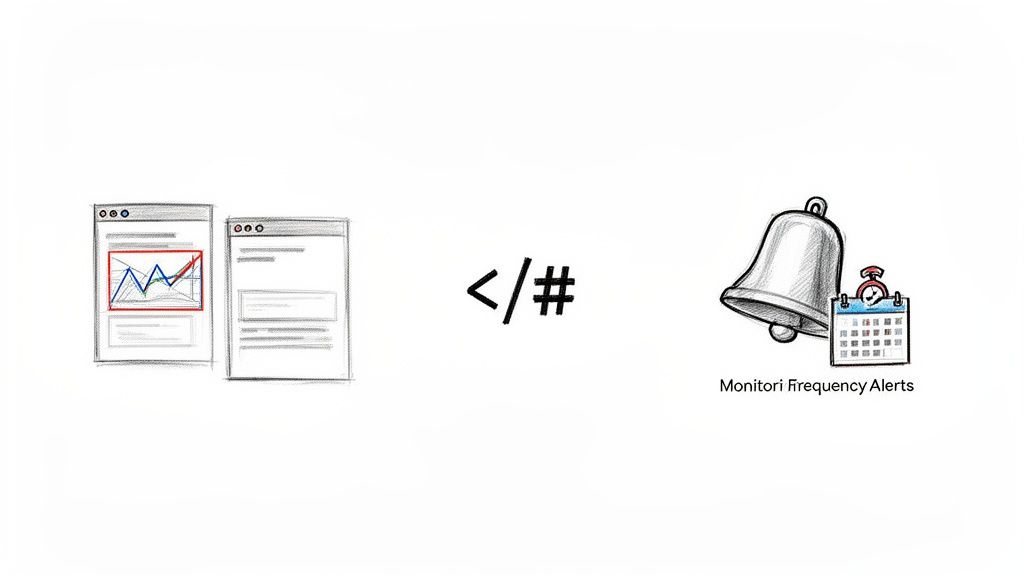
Before we jump into how AI is changing the game of competitive intelligence, it’s essential to get the fundamentals right. Traditional website change tracking is the bedrock of this work—it's what gives you the initial heads-up that a competitor is up to something. These tried-and-true methods are reliable and can deliver value almost immediately.
At its core, the idea is straightforward: a tool takes a "snapshot" of a webpage and later compares it to a new one, highlighting what's different. But how you do this matters. It’s worth taking a moment to understand the general website monitoring principles to make sure the alerts you get are actually useful.
Hosted Service or Self-Hosted Script?
First, you need to decide on your toolset. Are you going with a managed service, or are you rolling up your sleeves and hosting it yourself?
Hosted services like Visualping are fantastic for getting started quickly. You plug in a URL, pick the part of the page you care about, and tell it how often to check. All the backend heavy lifting is done for you. Easy.
On the flip side, self-hosted solutions give you ultimate control. Using Python scripts or open-source platforms like Zabbix, you can dig deep. You can pinpoint specific code elements, keep all the data on your own servers, and pipe alerts into any custom dashboard you can dream of. This path, however, requires a bit of technical know-how to set up and maintain.
My two cents: Start with a hosted service. It’s the fastest way to get actionable intel. If you find yourself bumping up against its limits or have a very specific need, that’s the time to look into a self-hosted option. Don't overengineer it from day one.
The Main Flavors of Monitoring
Not all website changes are created equal, and different tools are built to spot different things. Knowing the difference helps you pick the right approach.
- Visual Comparison: These tools are like a spot-the-difference game. They render the page and compare screenshots pixel by pixel. This is perfect for catching visual tweaks—a new hero image, a button color change, or a shuffled layout—that a code-checker would miss.
- HTML Diffing: This is the go-to for many SEOs. The tool compares the page's raw HTML from one check to the next. It’s incredibly effective at flagging changes in text, new links, or adjustments to meta descriptions and title tags.
- Uptime Monitoring: This is the most basic form of tracking. An uptime monitor simply checks if a site is online. While not for content changes, it's a foundational part of any monitoring strategy—knowing a competitor's site is down is valuable intel in itself.
- Content Hashing: This is the simplest method. It creates a unique digital "fingerprint" (a hash) of the page's content. If anything changes, even a comma, the fingerprint changes, and you get an alert. It’s a blunt instrument—it tells you that a change happened, but not what it was.
Tuning Your Alerts for Signal, Not Noise
Choosing a tool is only half the battle. How you configure it determines whether you get a stream of valuable intel or a firehose of useless notifications. Getting this right is critical.
A huge part of this is just setting a sensible check frequency. You might want to monitor a competitor's pricing page every 15 minutes during a sales event. But for their "About Us" page? A daily check is probably more than enough.
You also have to account for the dynamic parts of modern websites. Things like rotating customer testimonials or "latest tweet" feeds can trigger constant false alarms. Good tools will let you visually select an area to watch, effectively ignoring the noisy, irrelevant sections. This lets you focus squarely on what matters, like pricing tables or feature lists.
Finally, think about where your alerts go. An unread email is a missed opportunity. To make sure changes get noticed and acted on, integrate your alerts directly into your team's workflow.
- Pipe notifications into a dedicated Slack channel like
#competitive-intel. - Create automated tasks in your project management software.
- Use webhooks to trigger other processes.
This is a core component of any effective monitoring strategy, a topic we explore further in our guide to the best brand tracking software.
The New Frontier: How AI Perceives Website Changes
For years, we've focused on what changed on a competitor's website. But that's only half the story now. In 2025, the real question is: how did that change what AI says about them? A minor content update isn't just a tweak for human visitors anymore—it’s new training data for the world's most powerful large language models (LLMs).
This is the new front line of competitive intelligence. Every blog post, product description, or press release a competitor publishes gets absorbed by models like ChatGPT, Gemini, and Claude. These AIs then use that information to generate answers for millions of people asking, "What's the best software for project management?" or "Compare Brand X and Brand Y."
From a Simple Tweak to an AI Narrative
Let's walk through a real-world scenario. Imagine a competitor quietly adds a paragraph to their "About Us" page, highlighting their new commitment to sustainable practices. A traditional change tracker would just flag the new text. Simple enough.
But the real impact is happening under the surface.
When an LLM next crawls that page, it processes this new detail. The next time someone asks, "Which marketing agencies are the most eco-friendly?" your competitor might suddenly pop up in the answer. Your brand, meanwhile, is nowhere to be seen. That small website edit directly influenced the AI's perception and, by extension, its recommendations.
That small change created a ripple effect, one that you'd never catch with an old-school change tracker.
This is our new reality: A competitor's content refresh can effectively train an AI to recommend their product instead of yours. The fight for visibility isn't just on Google's search results anymore; it's happening inside the conversational replies of AI chatbots.
Tracking the Invisible Influence
Conversational AI has completely changed how people find information. With ChatGPT projected to have an 80.49% share of the AI chatbot market by 2025, its influence is hard to overstate. In June 2024 alone, AI platforms drove 1.13 billion referral visits, a staggering 357% increase year-over-year. You can find more on these AI search statistics to see the full picture.
Because of this, brands have to become authoritative sources for LLM training, making website change monitoring more critical than ever for SEO and content teams.
This is exactly where a new generation of monitoring tools comes into play. Instead of just showing you a line of code that changed, tools like PromptPosition are built to track the output of the AI models themselves. Daily monitoring lets you see the direct consequences of a competitor's moves.
- Did an AI suddenly start mentioning a rival for one of your core keywords?
- Has the sentiment around your brand in AI-generated answers shifted from positive to neutral?
- Did your brand vanish from a recommendation where it was previously featured?
Pinpointing when these shifts happen is the key. It gives you a clear signal to go investigate what your competitor did on that specific date—maybe they published a new case study, adjusted their pricing, or launched a new feature that caused the AI to change its mind. This is how you connect the dots, turning abstract AI behavior into solid, actionable intelligence. You can learn more about how to use an AI overview tracker to get this kind of critical insight.
A Practical Guide To Monitoring AI Model Responses
Knowing you need to track AI-level changes is one thing, but building a workflow to actually do it is a whole different ballgame. Your traditional website monitoring tools might tell you that a competitor updated their site, but they’re blind to the downstream impact on AI conversations. This is where we need a mental shift—from just monitoring code to monitoring AI output.
The real goal here is to turn vague awareness into a concrete, actionable process. When you get this right, you can see the precise moment a large language model (LLM) like ChatGPT or Gemini starts—or stops—mentioning your brand, a competitor, or one of your key features. Suddenly, those opaque AI shifts become tangible intelligence signals.
Setting Up Your AI Monitoring Workflow
You can't spot what's changed if you don't know what "normal" looks like. The first move is always to establish a baseline by identifying the key prompts that matter to your business and running them consistently.
I'd suggest starting with these monitoring targets:
- Your Brand: How is your company being described? What sources are the models citing when they talk about you?
- Your Competitors: Are they showing up for your target keywords? Is the sentiment around them positive or negative?
- Key Industry Terms: Which companies get recommended for prompts like "best CRM for small business" or "most reliable project management software"?
This is where a dedicated platform like PromptPosition comes in. It's built specifically for this job, automating the daily queries to models like ChatGPT, Gemini, and Claude and then archiving the responses so you can easily spot changes over time.
This dashboard gives you a sense of how PromptPosition visualizes brand visibility and sentiment, offering a clear view of how AI perception changes day by day.
It’s this historical data that transforms a simple one-off check into a strategic intelligence feed, allowing you to pinpoint the exact day a meaningful shift occurred.
From Signal to Investigation: A Real-World Scenario
Let's walk through an example. Imagine you’re a marketer for a project management tool. For weeks, you've been tracking the prompt, "top alternatives to Asana," and your product has consistently been listed in the top three.
Then, one morning, your daily AI monitoring report flags a major change. Your brand is gone. In its place is a new competitor who was never mentioned before.
This is your critical signal. The AI didn't just change its mind randomly. Something specific triggered this shift, and with daily tracking, you know the exact date it happened.
Now, the real investigation begins. You can take that date and cross-reference it with your standard website change monitoring alerts.
- Did that competitor publish a big case study on that day?
- Did they announce a new integration or a killer feature?
- Did a major publication give them glowing press coverage that was indexed by the AI?
This is how you connect the effect (the change in the AI's response) with the cause (the competitor's marketing activity). You now have concrete evidence showing what actually moves the needle for AI models in your industry. This is a world away from just noticing a competitor tweaked their homepage; it's about understanding the strategic fallout of that tweak.
To dive deeper into the tools that make this possible, you might want to check out our complete overview of LLM monitoring tools. This is how modern teams track website changes that truly matter.
From Data to Decisions: Building Your Change Intelligence Workflow
Getting an alert that a competitor changed something on their website is one thing. Understanding if that change actually matters is something else entirely. So far, we've looked at the nuts and bolts of tracking site changes and the new world of monitoring AI responses. Now, it’s time to connect the dots and build a workflow that gives your team a real competitive edge.
This isn't about having two separate streams of information. It's about creating a feedback loop where an alert from one system immediately prompts you to investigate the other. This is how you stop guessing and start understanding the why behind every move in your market.
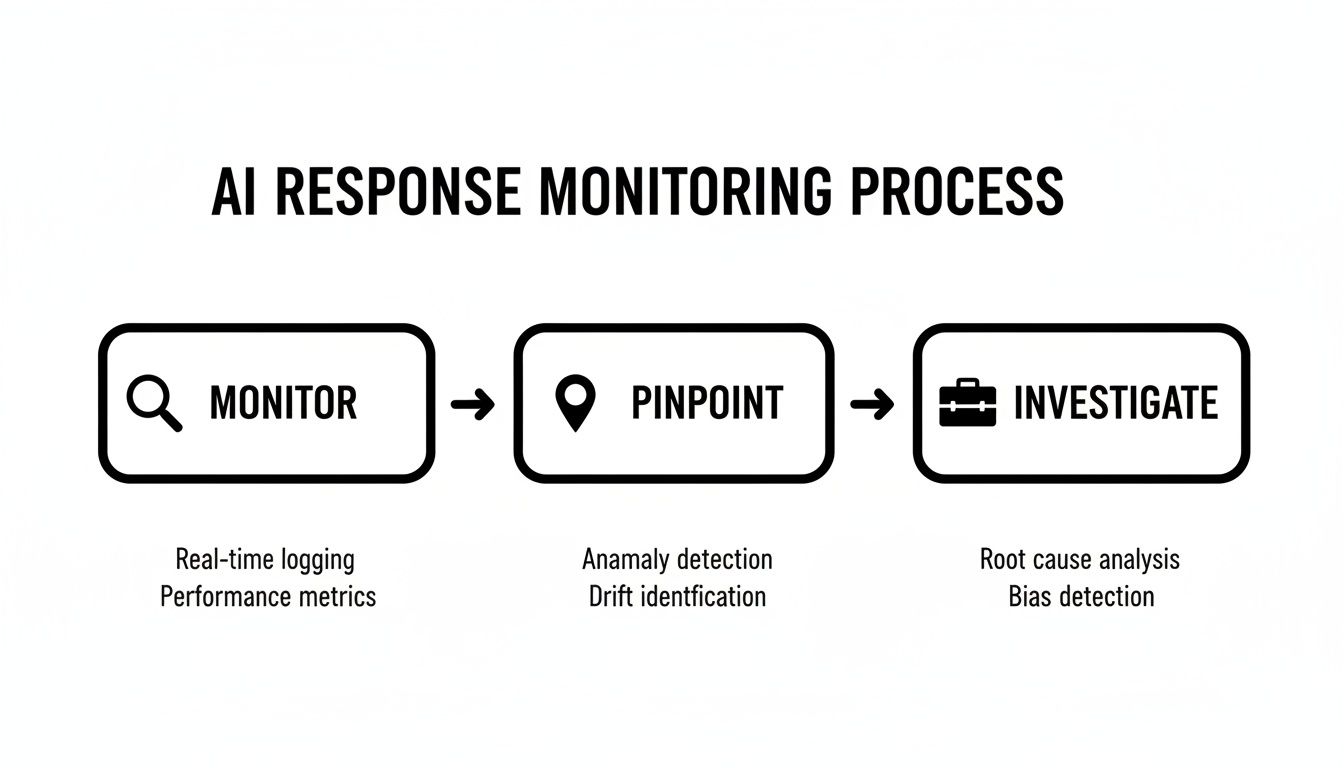
The real power here comes from treating monitoring as an active process. It’s a direct path to spotting key events and launching a focused, intelligent investigation.
Connecting the What to the Why
Let's walk through a real-world scenario. You get an alert from your visual monitoring tool: a major competitor just rolled out a completely redesigned homepage. In the old days, that's where the story might end, leaving your team to speculate on the impact.
With an integrated approach, this alert is just the beginning.
Your immediate next step is to pivot to your AI monitoring dashboard. Start comparing how LLMs are answering prompts about that competitor today versus how they answered them yesterday. The homepage redesign is the "what"; the shift in AI responses is the "why it matters."
- Is the AI suddenly emphasizing a new benefit that's now plastered all over their new homepage?
- Has the tone of AI-generated summaries about their brand shifted from neutral to positive?
- Are they showing up for product comparison prompts where they were invisible before?
This connection is what turns a simple notification like "they changed their hero banner" into a powerful insight like "their new messaging is already shaping how ChatGPT frames their value proposition." Now that's something you can act on.
A website change alert tells you what happened. An AI monitoring tool tells you if it mattered. When you put them together, you’re not just collecting data—you’re generating true competitive intelligence.
Putting Change Intelligence to Work for Your Teams
Once you have this workflow in place, it becomes an early warning system that gives every team a clear signal and a specific job to do. When you track a website for changes and tie it to AI performance, you’re arming your teams with actionable intelligence.
For SEO & Content Teams
An AI model suddenly starts referencing a competitor for a new keyword. This is a huge flag. It often means they've just published a significant piece of content on that topic. Your SEO team now has a direct mission: dissect that new content, pinpoint the gap in your own, and create something better to reclaim that AI-driven narrative.
For PR & Communications
You notice a sudden negative turn in AI sentiment about your brand. This could be the first sign of a storm brewing. Your PR team can use this signal to start digging immediately. Is it a wave of bad reviews, a negative news story, or a competitor's whisper campaign? They can get ahead of the story before it gains traction.
For Brand & Product Marketers
A competitor tweaks their positioning, and your AI monitoring shows they’re now appearing in more AI-generated "best of" lists. This is gold. It’s direct feedback on what kind of messaging resonates with large language models. Your brand and product marketing teams can use this to sharpen their own value propositions and win more mindshare.
This is how you create a living system where website changes inform AI analysis, and AI insights trigger smart, strategic responses across your organization.
As you get started with change monitoring, a few common questions always come up. Here are the quick answers you need to some of the most frequent sticking points.
Frequently Asked Questions
What you need to know about tracking website and AI changes.
| Question | Answer |
|---|---|
| How Often Should I Track a Website for Changes? | This really comes down to what you're tracking and why. There’s no one-size-fits-all answer. For something high-stakes, like a competitor's pricing during a Black Friday sale, you might want to check every 5-15 minutes. For general content like their blog, a daily check is plenty. For static pages like their "About Us," once a week is probably fine. The key is to match your frequency to the page's importance. |
| What Is the Difference Between Visual and HTML Tracking? | They're two sides of the same coin. Visual tracking is like taking a screenshot—it's perfect for catching design updates, new images, or layout shifts that don't alter the underlying code. HTML tracking, on the other hand, compares the raw source code. This is what SEOs and marketers live by, as it catches changes to text, meta descriptions, title tags, and hidden keywords. The best tools give you both. |
| Why Do I Need to Track AI Models Like ChatGPT? | In 2025, tracking websites is only half the picture. Every time a competitor updates their site, they're also indirectly training AI models. A minor tweak to their product page could be the very thing that makes an LLM start recommending them over you. Monitoring the AI model itself, with a tool like PromptPosition, shows you the result of that website change. Daily monitoring can show when an LLM starts/stops mentioning a brand or when sentiment shifts, connecting a competitor's action to its impact on the AI-driven narrative. |
Hopefully, that clears a few things up. Tracking website changes gives you a powerful signal, but understanding how those changes affect your visibility within AI is where the real advantage lies.
Ready to see how AI is shaping perceptions of your brand and competitors? PromptPosition gives you the data-driven insights you need to optimize your visibility in AI search. Start tracking your AI positioning today.