Why Doesn’t My Website Show Up On Google? A Practical Guide
There are few things more frustrating for a website owner than pouring your heart and soul into a new site, only to find it's completely invisible on Google. You search for your own brand name, and… nothing. It’s a moment of panic, but don't worry, this is a very common and almost always fixable problem.
When I get a call about this, the issue almost always falls into one of two buckets. Either Google doesn't know your site exists (an indexing problem), or it knows about your site but doesn't think it's important enough to show to searchers (a quality and relevance problem).
Figuring out which one you’re dealing with is the absolute first step. This guide will help you understand the problem and drive you to take action.
Where Is My Site? A Quick Guide to Google Visibility
That sinking feeling when you search for your business and find nothing is real. But before you start tearing apart your website, we need to do a little diagnostic work. It’s crucial to distinguish between being indexed and ranking.
- Indexing is just Google's way of saying, "Okay, I see you." Its web crawlers have found your pages and added them to their massive library of the internet. Think of it as getting your book into the library's catalog.
- Ranking is when your book is actually recommended to someone looking for information on that topic. Google has not only indexed your page but has decided it's a good answer for a specific search.
The First Thing to Check
Let's start with the simplest, most revealing test you can run. It takes about five seconds. Go to Google and type this special command into the search bar, making sure to replace yourdomain.com with your own website's address:
site:yourdomain.com
This one search tells you everything you need to know to get started. The results—or the lack of them—point you down one of two very different troubleshooting paths, as this flowchart shows.
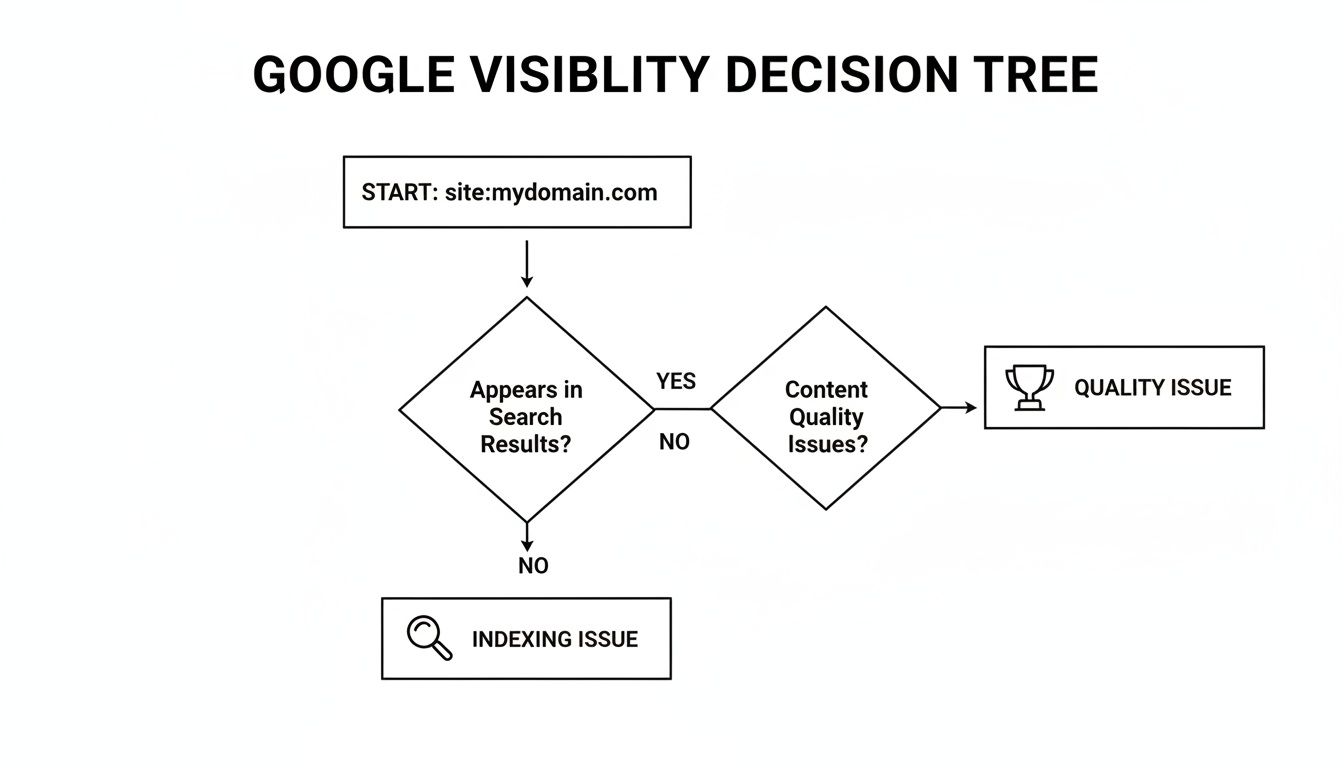
This simple test immediately clarifies whether you have a foundational technical issue or if you need to focus on content and authority.
Initial Diagnostic Checklist
Use this quick-glance table to diagnose the most likely reason your site isn't appearing on Google.
| Symptom | Potential Cause | First Actionable Step |
|---|---|---|
site:yourdomain.com shows "did not match any documents." |
Indexing Issue: Google can't find or access your site. | Check your robots.txt file for a Disallow: / directive. |
site:yourdomain.com shows pages, but you don't rank for your keywords. |
Quality/Relevance Issue: Your content isn't seen as the best answer. | Analyze the top-ranking pages for your target keywords to identify content gaps. |
Only your homepage shows up in a site: search. |
Crawlability Issue: Google can find your homepage but isn't discovering your other pages. | Submit an XML sitemap to Google Search Console. |
This table covers the most common scenarios I see, helping you quickly identify where to start digging.
If you get a list of your website's pages, then congratulations—Google knows you exist! Your problem isn't invisibility; it's a lack of authority or relevance. If you see "Your search – site:yourdomain.com – did not match any documents," you have an indexing problem. Google hasn’t found your site yet, or something is blocking it.
If you're finding this all a bit much, working with professionals who offer SEO services for small business can give you the dedicated strategy needed to get seen by customers. And as you start making fixes, understanding your progress is key. You might find our guide on what is rank tracking helpful for measuring your success.
Now, let's dive into the playbook for solving both of these problems.
So, you ran a site:yourdomain.com search and got… nothing. Crickets. This is the SEO equivalent of a ghost town. It means you’re dealing with a fundamental indexing or crawlability issue.
Put simply, Google’s bots are librarians trying to catalog your website for the world's biggest library. But if the doors are locked, the address is wrong, or the books are written in invisible ink, your site stays off the shelves entirely. This is ground zero. Before you can even dream of ranking, you have to make sure Google can find and read your pages.
Your first and best stop for this kind of detective work is always Google Search Console (GSC). It’s Google's free platform that gives you a direct look at how they see your site. Honestly, if you haven’t set it up yet, stop reading and go do that now. It's an absolute must-have for diagnosing these problems.
Your Diagnostic Hub: The Index Coverage Report
Once you're in Google Search Console, you're heading straight for the Index Coverage report. You'll find it under the 'Indexing' tab on the left. This report is your command center, showing you the status of every single page Google knows about.
The report breaks down your URLs into four buckets:
- Error: These pages have critical issues preventing them from being indexed. Start here.
- Valid with warnings: The page is indexed, but something isn't quite right. Worth looking into later.
- Valid: These are your indexed pages, eligible to show up in search results. This is the goal.
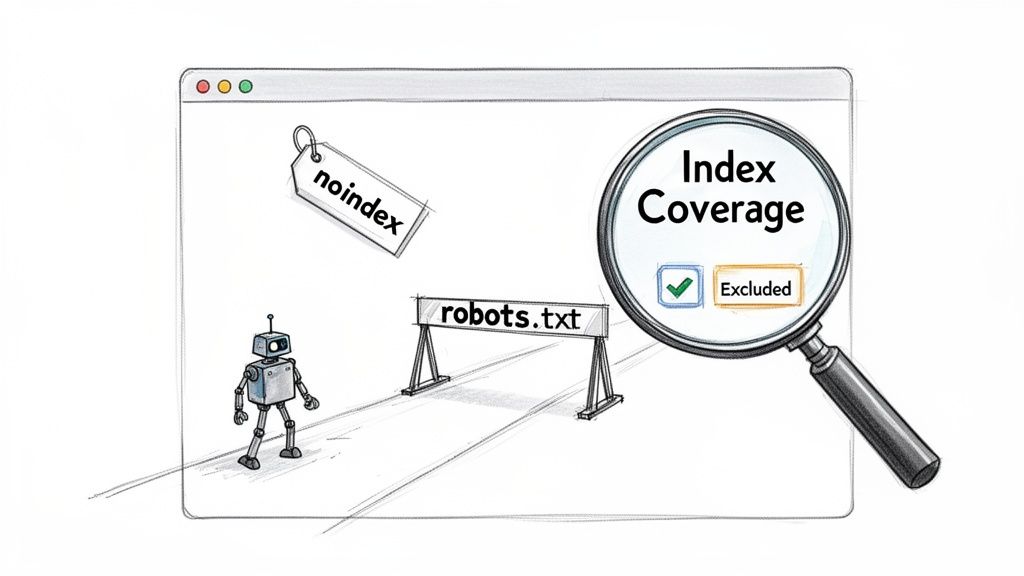
- Excluded: Google found the page but decided not to index it, either by your instruction or its own decision. This is where most indexing mysteries are solved.
Obviously, you want to see a huge number in the "Valid" category. If your "Error" or "Excluded" counts are high and contain important pages, you've found exactly why your site is invisible.
Decoding Common Exclusion Reasons
The 'Excluded' tab is where the real investigation starts. When you click into it, you'll see a list of reasons why Google has skipped over certain URLs. Now, don't panic if this number is large—many exclusions are perfectly normal. Your job is to find the important pages that have been kicked out by mistake.
Here are the usual suspects I see time and time again:
- Excluded by ‘noindex’ tag: This is a classic. It’s a direct command in your page’s code telling Google to ignore it. It’s often a remnant from a staging site that a developer forgot to remove. If your homepage or key service pages are in this list, you've found a smoking gun.
- Blocked by robots.txt: Your
robots.txtfile is like a bouncer for search engine bots. A common slip-up is aDisallow: /rule that blocks the entire site. If GSC reports 'Submitted URL blocked by robots.txt', it means pages you've explicitly asked it to index (in your sitemap) are being turned away at the door. - Crawled – currently not indexed: This one is always a bit frustrating. Google saw the page but deemed it not worthy of indexing at this moment. This often points to thin, low-quality content, or it can happen to new sites that just haven't earned any trust or authority yet.
- Duplicate without user-selected canonical: Google found several pages with identical content and picked a different URL to be the "official" version. This is bad news for SEO because it splits your ranking power.
Don't freak out when you see a long list of excluded pages. It’s totally normal for a site to have redirects, old URLs, and parameter pages that are rightfully excluded. The trick is to scan the list and make sure your core landing pages, blog posts, or product pages aren't showing up where they shouldn't be.
Found a critical page that's been excluded? Your next move is the URL Inspection Tool at the very top of your GSC dashboard. Paste in the problem URL, and Google will give you a full diagnostic.
For instance, if your main services page is "Excluded by ‘noindex’ tag," you know you need to hunt down that tag in your page's HTML <head> and get rid of it. Once it's gone, pop back over to the URL Inspection Tool, and hit "Request Indexing" to tell Google to come take a fresh look.
Diagnosing Technical SEO Barriers That Hide Your Site
So, your site is indexed by Google. That's the first step, but if you're still not showing up in search results, the real detective work begins. Getting indexed just means Google knows your site exists; it doesn't mean Google thinks your site is worth showing to anyone.
Often, the reason you’re invisible lies in a web of technical issues. These problems aren't as obvious as a site-wide block, but they slowly and silently poison your rankings. If you're wondering why an indexed site isn't ranking, the culprit is almost always one of these technical gremlins.

Unraveling Duplicate Content and Canonicalization
One of the most common issues I see, even on established sites, is a mess of duplicate content caused by poor canonicalization. The term sounds technical, but the concept is simple: you’re telling Google which version of a page is the "master copy."
For example, an e-commerce store selling blue shoes might have several URLs that all lead to the exact same content:
yourstore.com/shoes/blue-shoesyourstore.com/products?id=123yourstore.com/shoes?color=blue
Without a clear signal, Google sees three identical pages. This forces it to guess which one to rank, splitting your authority and diluting the power of your backlinks. The rel="canonical" tag solves this by pointing all the variations back to your chosen, "official" URL.
Think of canonical tags as merging three different versions of your resume into one master copy. You ensure all your experience and credentials are in one place, making you a much stronger candidate. Failing to do so makes you look disorganized and less authoritative.
Taming Redirects and Site Structure
Redirects are a normal part of a website's life, guiding users and search engines from old pages to new ones. But when they're handled poorly, they can cause serious drag. The biggest offender is a redirect chain, where Page A redirects to Page B, which then redirects to Page C. Each "hop" in the chain slows down the user experience and can weaken the ranking signals being passed.
Your site’s architecture matters just as much. If your most important pages are buried five clicks deep from the homepage, you’re sending a subtle but clear message to Google that they aren’t very important. A clean, shallow structure is one of the most powerful and underrated SEO signals you can send.
Page Speed and Mobile Experience Matter More Than Ever
In the fight for user attention, speed wins. It's that simple. Google uses page speed as a ranking factor, but more importantly, users do. Data shows that more than one in two visitors will hit the back button if a site takes longer than three seconds to load. A slow website is a user experience nightmare.
You can get a free, detailed report on your site's performance using Google's PageSpeed Insights tool. It will give you a concrete checklist of things to fix, like oversized images or clunky code, that you can hand right to a developer.
The same goes for the mobile experience. With most searches happening on phones, a desktop-only site is practically invisible to the majority of your audience. If users have to pinch and zoom to read your text, they’re gone—and Google takes note.
From Technical Fixes to Strategic Visibility
Cleaning up these technical SEO issues is non-negotiable for ranking in traditional search. But as you get your house in order, it's smart to look at what's next. The world of search is already expanding beyond Google's blue links into AI-powered answer engines.
The good news is that a well-structured, fast, and authoritative website is exactly what AI models are looking for. To get ahead, it's worth understanding how to use AI for SEO and how this new landscape works. Tools like PromptPosition are emerging to help you track this new type of visibility, ensuring your brand is ready for the next evolution of search.
8. Evaluating Your Website's Quality and Relevance Signals
So, you've checked all the technical boxes. Your site is getting crawled and indexed, and there are no glaring errors holding you back. Yet, you're still buried in the search results. If this sounds familiar, it's time to shift your focus from the technical side of SEO to something more subjective: site quality.
Answering "why doesn't my website show up on Google" often moves past checklists and into a tougher question: does my website deserve to rank? Google's entire business model is built on giving users the most helpful, trustworthy, and relevant answers. If your content is thin or your site looks amateurish, Google will almost always favor a competitor who's doing a better job.
This is the point where you stop just getting into Google's index and start earning your place on the first page.
It's Not Just About Keywords, It's About E-E-A-T
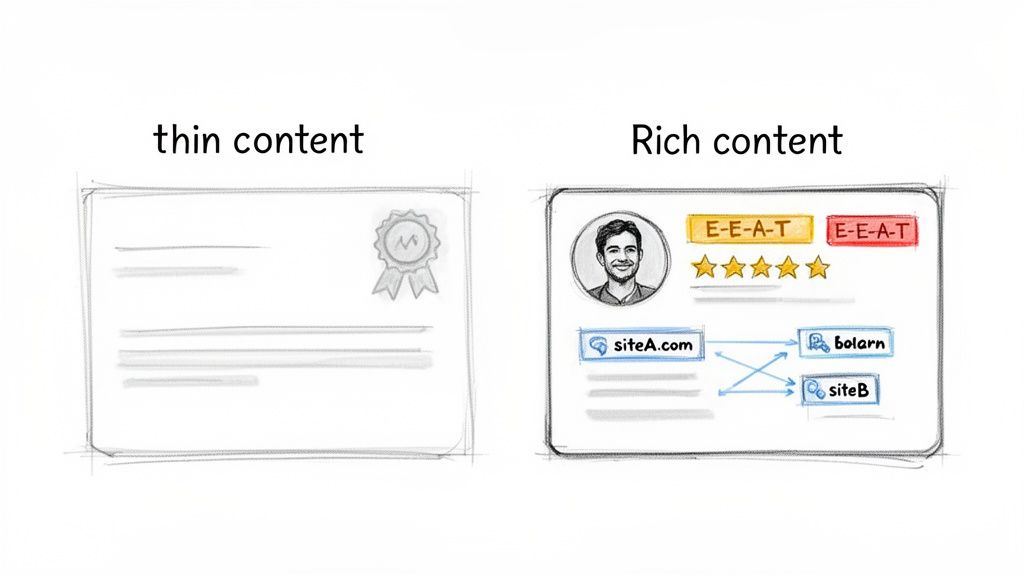
The conversation in SEO has moved well beyond just stuffing keywords onto a page. Now, it’s all about credibility. Google uses a framework called E-E-A-T—Experience, Expertise, Authoritativeness, and Trustworthiness—to gauge content quality. This isn't a direct ranking factor like a title tag; it's a concept used by their human quality raters to judge search results, which then helps shape the ranking algorithms.
- Experience: Did the author actually use the product, visit the place, or live through the experience they're writing about? A review of a hiking trail from someone who clearly hiked it is infinitely more valuable than one spun from a brochure.
- Expertise: Does the writer have specialized knowledge? You'd want financial advice from a certified planner, not a random blogger. Expertise is critical in these high-stakes topics.
- Authoritativeness: Is your site or author seen as a go-to resource in your field? This is built over time as other reputable people and sites start referencing you as a source.
- Trustworthiness: Is the site secure (using HTTPS), transparent about who is behind it, and honest in its content? Clear contact info and fair policies go a long way.
Demonstrating E-E-A-T starts with simple things like creating detailed author bios that highlight real credentials and publishing content that screams authenticity. If you want to dive deeper, you need to learn how to write SEO articles that consistently rank.
Backlinks Are Still a Massive Trust Signal
I’ve seen it time and again: nothing moves the needle on authority like high-quality backlinks. Think of a link from another website as a vote of confidence. When a well-respected site links to your page, they're vouching for you, telling Google, "Hey, this is a great resource that we trust."
But here’s the catch: not all links are created equal. A single link from a major industry publication can be worth more than hundreds of links from spammy, low-quality directories. Quality trumps quantity, every single time.
For new sites, building a healthy backlink profile is a marathon, not a sprint. The goal isn't a sudden explosion of links; it's the slow and steady accumulation of high-quality endorsements. I’ve seen a single link from a relevant news site do more for a client's rankings than 500 directory links ever could.
If you’re just starting out, focus on foundational tactics. Offer to write a guest post for a blog you admire, participate in industry roundups, or, best of all, create something so genuinely useful that people can't help but share it.
How to Honestly Judge Your Own Site's Quality
This is the hard part. It's tough to be objective about your own work, but it’s absolutely necessary. Open your page in one tab and the top three Google results for your main keyword in other tabs.
Now, ask yourself honestly:
- Is my content genuinely more helpful and comprehensive?
- Does my page load fast and look great on a phone?
- Does my site look professional and trustworthy, or a bit dated?
- Am I offering a unique perspective or data that no one else is?
If you find yourself answering "no" to any of these, you've just found your content strategy roadmap. If your pages feel a bit thin, use 300 words as a rock-bottom minimum, but your real focus should always be on depth and user value, not word count.
These quality signals are only becoming more critical as search evolves. To see how this all connects to the next wave of search, read our take on SEO visibility and the search metrics that matter now.
The Next Frontier: Getting Found in AI Search
You’ve spent weeks, maybe months, chasing down every last SEO issue. You’ve polished your E-E-A-T signals, rebuilt your backlink profile, and finally started seeing that satisfying climb up the Google rankings. But what if you’re still invisible in a place you haven’t even thought to look?
This is the new reality of search. We're talking about AI-driven answer engines like ChatGPT, Gemini, and Perplexity. In this world, the goal isn't just to be one of ten blue links. The real prize is being cited as a direct source inside a conversational, AI-generated answer.
It’s a totally different ballgame, and frankly, the skills that get you on page one of Google don't guarantee you a spot here.
How AI Answer Engines Change The Rules
Think of it this way: traditional search has always been like a library's card catalog. It points you to a long list of resources where you might find what you need. AI answer engines are like walking up to the head librarian, asking a question, and getting a direct summary synthesized from the most trusted books in the entire building.
If your content isn't considered one of those "most trusted books," you simply don't exist in that final answer.
These large language models (LLMs) are built on massive snapshots of the web. They don’t just rank your content; they analyze it, weigh it against other sources, and then construct entirely new answers. They're looking for information they perceive as factual, authoritative, and consistently backed up by other high-quality sites.
To be cited by an AI, your website must be seen as an unimpeachable source of truth. It's less about hitting a keyword density and more about becoming a foundational piece of knowledge the AI relies on to form its understanding.
Introducing AI Search Analytics
This massive shift demands a new set of tools and a completely new mindset, which has given rise to a field we call AI Search Analytics. The main problem has always been that visibility inside these AI models is a total black box. You can't just open a rank tracker; you have to actively prompt the AI models to see if, when, and how your brand even shows up.
This is exactly why we built PromptPosition. Instead of guessing and manually checking hundreds of prompts, you can systematically track your brand’s footprint in AI-generated answers.
This helps you get concrete answers to the most important questions:
- Does my brand get mentioned at all in key conversations?
- When we are mentioned, is the context positive or negative?
- Which of our pages are actually being cited as a source?
- And the big one: Which competitors are being sourced when we aren't?
If you're still asking why your website isn't showing up everywhere it should be, this new landscape is the most likely culprit. You can dive deeper into this emerging practice in our guide to AI search engine optimization.
A Quick Comparison: Traditional SEO vs AI Search Visibility
The strategies for winning in the classic search results versus being cited in an AI answer are worlds apart. It's crucial to understand where they diverge.
| Factor | Traditional Google Search | AI Answer Engines (LLMs) |
|---|---|---|
| Primary Goal | Rank in the top 10 search results. | Become a cited source in a generated answer. |
| Visibility Metric | Keyword ranking position. | Frequency and context of brand/source mentions. |
| Key Signal | A mix of relevance, backlinks, and E-E-A-T. | Perceived factual accuracy and authority across the web. |
| User Interaction | User clicks a link to visit a page. | User gets an immediate, synthesized answer. |
Ultimately, tracking how your brand is perceived and presented by AI models isn't a "nice-to-have" for the future—it's something you need to be doing today. Seeing which sources an AI trusts for information in your niche gives you a crystal-clear roadmap for your content and PR strategy. It shows you exactly where you need to build authority to be part of the conversation.
Even after you’ve worked through the technical checklist and fine-tuned your content, a few nagging questions often remain. Let's tackle some of the most common ones I hear from clients when they're trying to figure out why their site isn't showing up on Google.
How Long Does It Take for a New Website to Show Up on Google?
There's no single answer here, but you can generally expect it to take anywhere from a few days to a few weeks. It all depends on how quickly Google’s crawlers discover your new site. Think of it like a new street being built—the mail carrier needs to find it and add it to their route.
You can definitely give Google a nudge in the right direction. The best way is to create an XML sitemap and submit it through Google Search Console. Once that's done, use the URL Inspection Tool to specifically request indexing for your most important pages, like your homepage and top service pages.
Just remember, there's a huge difference between being indexed and actually ranking. Getting indexed can happen in days. But building the authority to rank for anything competitive is a long-haul game that takes months of consistent, high-quality work.
My Site Was on Google But Now It Has Vanished. What Happened?
Seeing your site disappear from Google search is a gut-wrenching moment. It almost always signals a major, specific problem. Your first and most important stop should be Google Search Console to check for any urgent messages.
In my experience, a sudden vanishing act usually comes down to one of these culprits:
- Manual Actions: Head straight to the 'Manual Actions' report in GSC. If you've been hit with a penalty for violating Google's guidelines, it can take your entire site out of the index.
- Security Issues: Check the 'Security Issues' report next. If your site has been hacked or flagged for malware, Google will pull it from the results to protect searchers. This happens fast.
- Major Technical Blunders: Did you just launch a redesign or move to a new server? Things can go sideways. I've seen developers accidentally leave a site-wide
noindextag active or misconfigure therobots.txtfile to block Googlebot entirely. It happens more than you'd think.
Start your investigation in Search Console. It will almost always hold the clues you need to solve the mystery.
Will Paying for Google Ads Help My Organic SEO?
No. There is zero direct connection between Google Ads and your organic search rankings. Google keeps a very firm wall between its paid advertising and its organic algorithm. You simply cannot pay your way to the top of the organic results.
That said, there can be some indirect benefits. A great ad campaign brings targeted traffic to your site, which builds brand awareness. As more people see your brand, they might start searching for you directly, sharing your content, or even linking to you from their own sites. All of these are positive signals for organic SEO, but it's a secondary effect. The ad spend itself doesn't buy you rank.
Why Is My Competitor Appearing in AI Answers When I Am Not?
If your competitor is getting cited in AI Overviews or answers from models like Gemini and ChatGPT while you're not, it's a game of perceived authority and factual clarity. These large language models are built to synthesize information from what they determine are the most definitive, trustworthy sources on the web.
Chances are, your competitor is being featured because their content is:
- Well-structured, providing direct, clear-cut answers to very specific questions.
- Frequently referenced by other authoritative sites—think major news outlets, top industry blogs, or well-respected academic and government domains.
- Treated as a primary source on the topic, not just another article summarizing what others have said.
This is a whole new frontier for visibility. Figuring out why an AI model chooses one source over another requires a different kind of analysis. This is where tools built for AI Search Analytics, like PromptPosition, come in. They are designed to answer this exact question by showing you which sources the AI is citing, giving you a clear roadmap to earn that same visibility.
Ready to stop guessing about your visibility in AI search? promptposition gives you the data-driven insights you need to see how your brand is represented in ChatGPT, Gemini, and other AI models. Track your positioning, analyze competitors, and discover the sources driving AI answers. Start optimizing for the future of search today. Learn more at promptposition.com.